The Samsung Galaxy Watch 6 is a great fitness and workout accessory thanks to its selection of high-end sensors or modes, however no gym session or run is complete without some music.
In this guide, we’ll walk through the steps on how to download songs from the wearable version of Spotify. Doing this means you can leave your phone at home and stream downloaded songs directly from the app to a pair of connected headphones.
What you’ll need:
- A Galaxy Watch 6 or Galaxy 6 Classic
- An Android phone
- The Spotify app installed and logged in on the Android phone
- A Spotify Premium plan
The Short Version
- Open up the Play Store
- Find and download Spotify
- Tap on the Spotify app
- Find a playlist
- Tap the download button
- Check for the green tick
.keystone-video-block .flexible-container .ac-lre-player-ph-ext {
position: relative;
padding-bottom: calc((2 / 3.1) * 100%);
padding-top: 30px;
height: 0;
overflow: hidden;
}
.keystone-video-block .flexible-container .ac-lre-player-ph-ext.ac-lre-carousel-vertical {
padding-bottom: calc((2 / 3.9) * 100%);
}
.keystone-video-block .flexible-container .acw1 {
position: absolute;
top: 0;
left: 0;
width: 100%;
height: 100%;
}
@media only screen and (min-width:1301px){
.keystone-video-block .flexible-container .ac-lre-player-ph-ext {
padding-bottom: 440px;
}
.keystone-video-block .flexible-container .ac-lre-player-ph-ext.ac-lre-carousel-vertical {
padding-bottom: 350px;
}
}
-
Step
1Open the Play Store
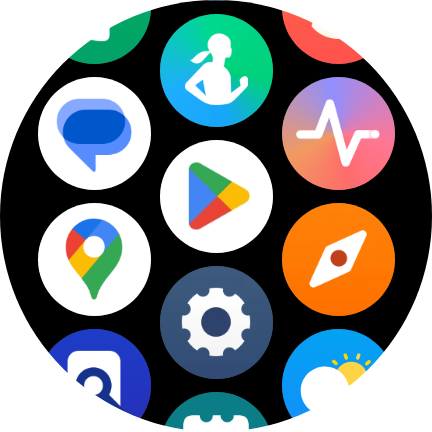
The first thing to do is open up the Play Store on your Galaxy Watch.
-
Step
2Find and download Spotify
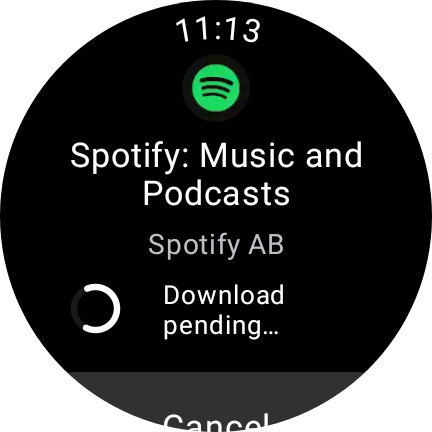
Once in the Play Store, find the Spotify app and install it.
-
Step
3Tap on the Spotify app

Once installed, find the Spotify app in your app list. If you’re logged into Spotify on your phone then it should automatically log you in on the Watch.
-
Step
4Find a playlist
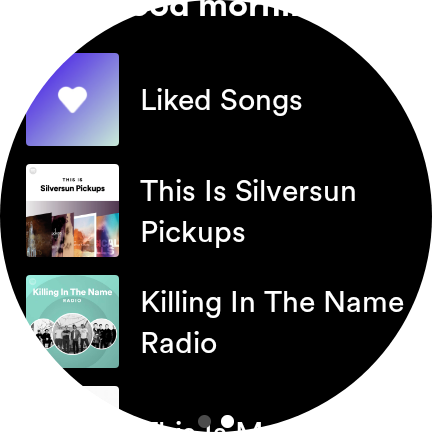
Swipe left and find a playlist, podcast or album. Tap your desired pick.
-
Step
5Tap the download button
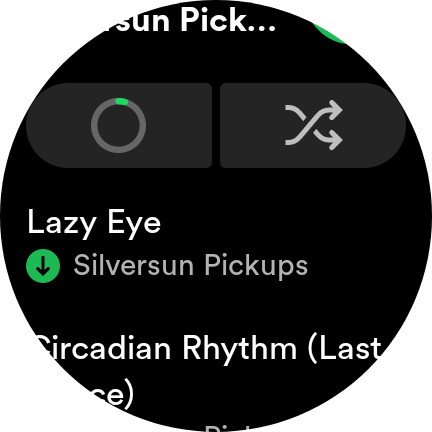
Tap the downward-facing arrow icon and your choice will begin to download.
-
Step
6Check for a green tick
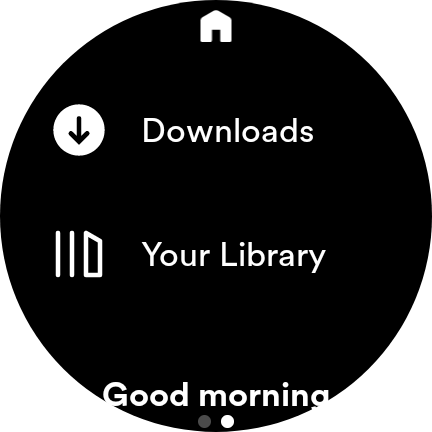
When you see a green tick next to a track, that means it’s downloaded and ready to be listened to offline. You can check on all your locally stored tracks in the ‘Downloads’ section of the app.
Troubleshooting
Yes, just like how you need Spotify Premium for downloads to work on the phone app, you need the paid-for service for songs to be downloaded on the wearable app.
You might like…


The post How to download Spotify music on the Samsung Galaxy Watch 6 appeared first on Trusted Reviews.
Originally posted 2023-08-10 11:55:14.