The Sony WF-1000XM5 have been revealed, and we rated them five-stars in our review, describing them as another excellent headphone from Sony.
They’re an improvement in a number of areas, whether it’s in terms of how they sound, the precision of their noise-cancellation and the breadth of their feature set, which is even larger than before.
While they’re not available to purchase until late August 2023, for those who want to get a heads up on how they work, we’ve written this guide on how to manually pair the Sony WF-1000XM5 to an Android mobile device.
What you’ll need
- Sony WF-1000XM5
- A mobile device
The Short version
- Open the charging case
- Press the Bluetooth pairing button on the back
- Connect to headphones
-
Step
1Open the charging case
So you’ve got your brand new pair of Sony WF-1000XM5 wireless earbuds. Once you’ve extracted them from the package, the first thing to do is… open the charging case. Quite obvious really because you’ll need to open the case at some point.

-
Step
2Press the Bluetooth pairing button
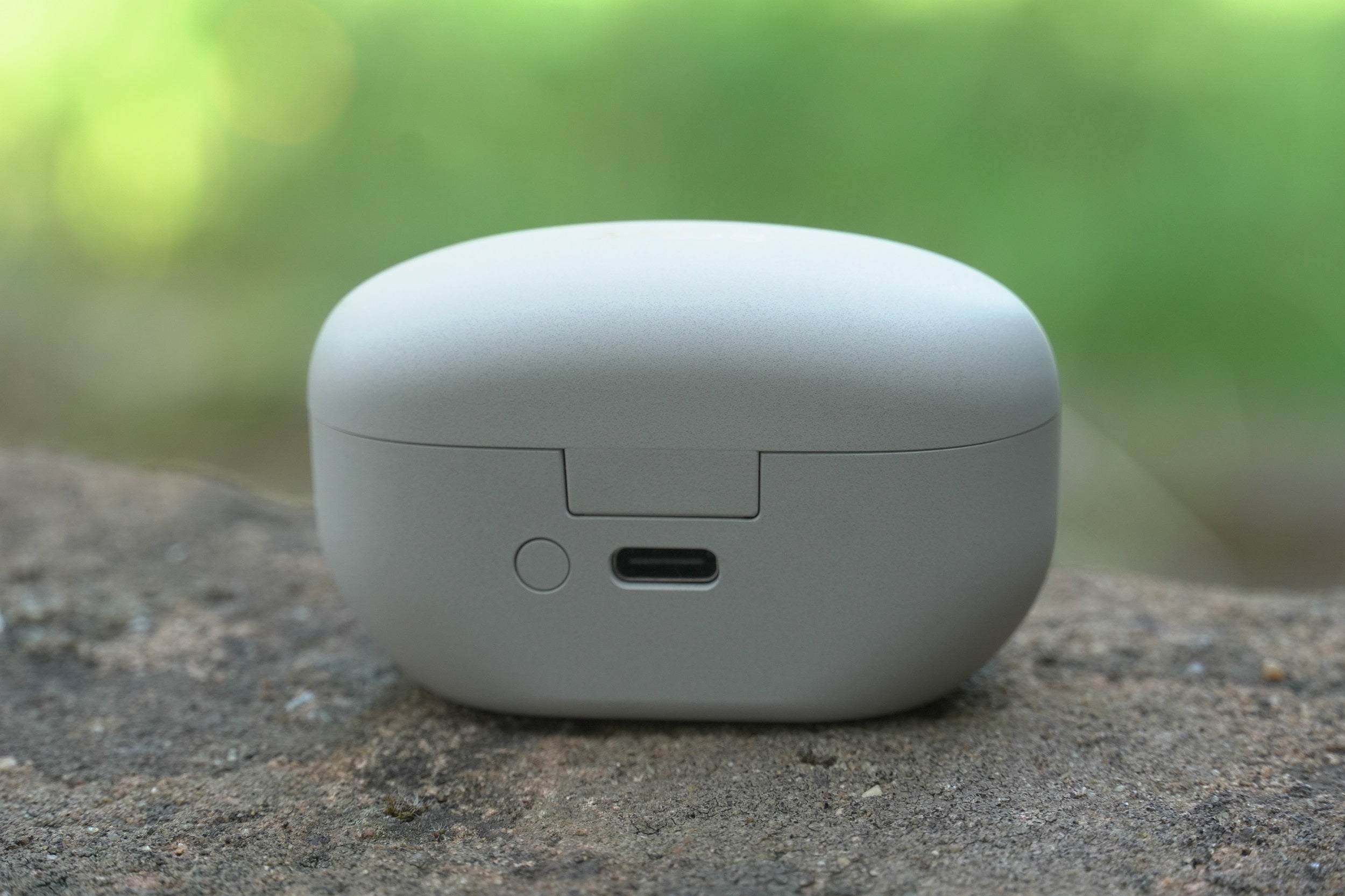
On the WF-1000XM4, first time pairing was achieved by placing the buds in the ear and holding the touch control surface on both buds for five seconds. That’s not necessary for the WF-1000XM5. There’s a Bluetooth pairing button on the back, hold it for a few seconds until the LED light in the front of the case start’s blinking blue…
-
Step
3Connect to headphones

…at which point, if you’re an Android user, the Google Fast Pair function should kick in and the earphones will automatically appear on your screen ready to be connected. Press ‘Connect’ and the WF-1000XM5 will pair with your Android smartphone.
FAQs
Follow steps one and two above, and then you’ll need to go into the Bluetooth settings of your iPhone and manually pick the WF-1000XM5 and connect.
Originally posted 2023-07-28 14:31:53.