Whether you want to start up a brand-new Snapchat account or your ready to say goodbye to the platform forever, you will need to know how to delete your account.
Deleting a social media account can be a tricky thing, as you never know if you’re going to want to reopen it when the mood strikes. But with apps like Instagram and TikTok slowly taking over everyone’s feeds, it might be worth saying goodbye to the friendly yellow ghost once and for all.
Snapchat thankfully does give you the option to recover your account within 30 days of deleting it, if you do happen to have a change of heart. Before deleting the account altogether it needs to be deactivated, so you may want to download your data beforehand.
Downloading your data will keep all of your Snapchat-related content safe, including Snaps, Chats, Stories, friends, settings and general data.
Once you have downloaded all of your precious content, you’re free to delete your account. Keep scrolling to find out how to delete your Snapchat account permanently on iOS, and scroll down to the bottom of this guide to delete it via Android or a web browser.
What you’ll need:
- A smartphone or tablet
- A Snapchat account to delete
The Short Version
- Open Snapchat
- Head to your profile
- Tap the Settings icon
- Tap Delete Account
- Sign in to your account on the web
- Enter your login details one more time and hit Continue
iPhone 15 Plus 100GB Data Deal
If you want plenty of data and would rather tackle a fair amount of the cost upfront to avoid hefty monthly rates, then this deal is the one for you.
- Mobiles UK
- £399 upfront
- Only £23.99/month
View Deal
-
Step
1Open the Snapchat app

These steps apply to the iOS app. For instructions for Android or the web browser, scroll to the FAQ section of this guide.
-
Step
2Tap your Bitmoji
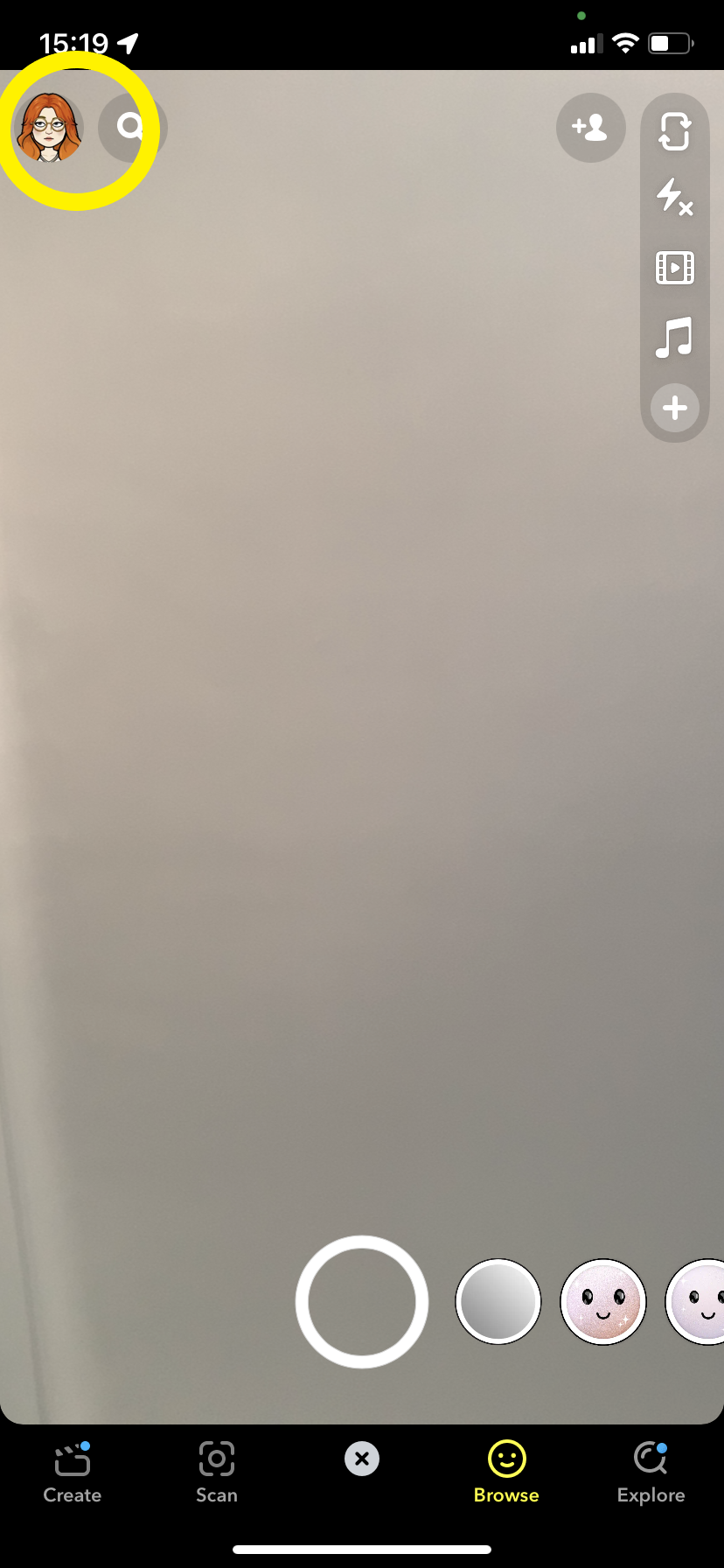
This will take you to your Snapchat profile. If you don’t have a Bitmoji, just tap the icon up here.
-
Step
3Tap the gear icon
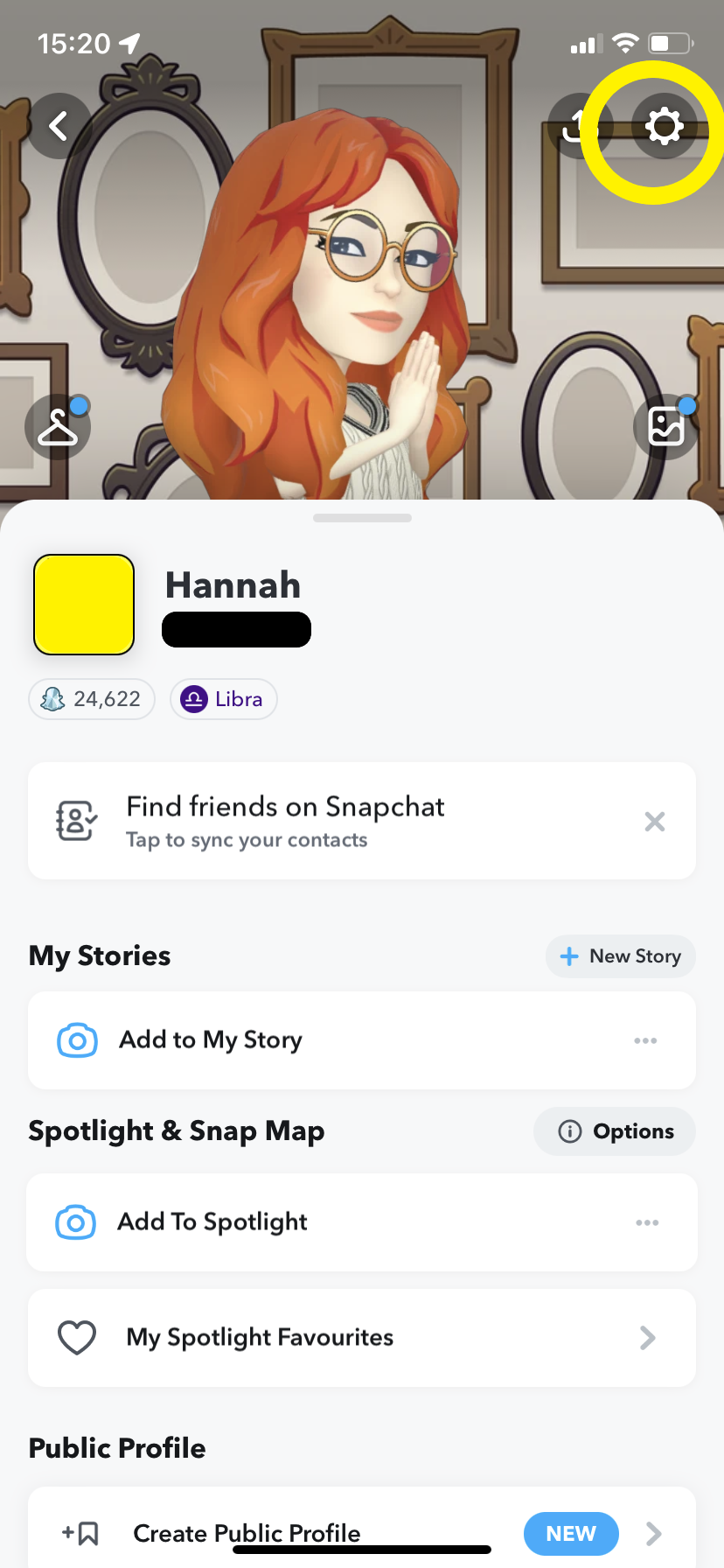
This will take you to your account settings.
-
Step
4Tap Delete Account
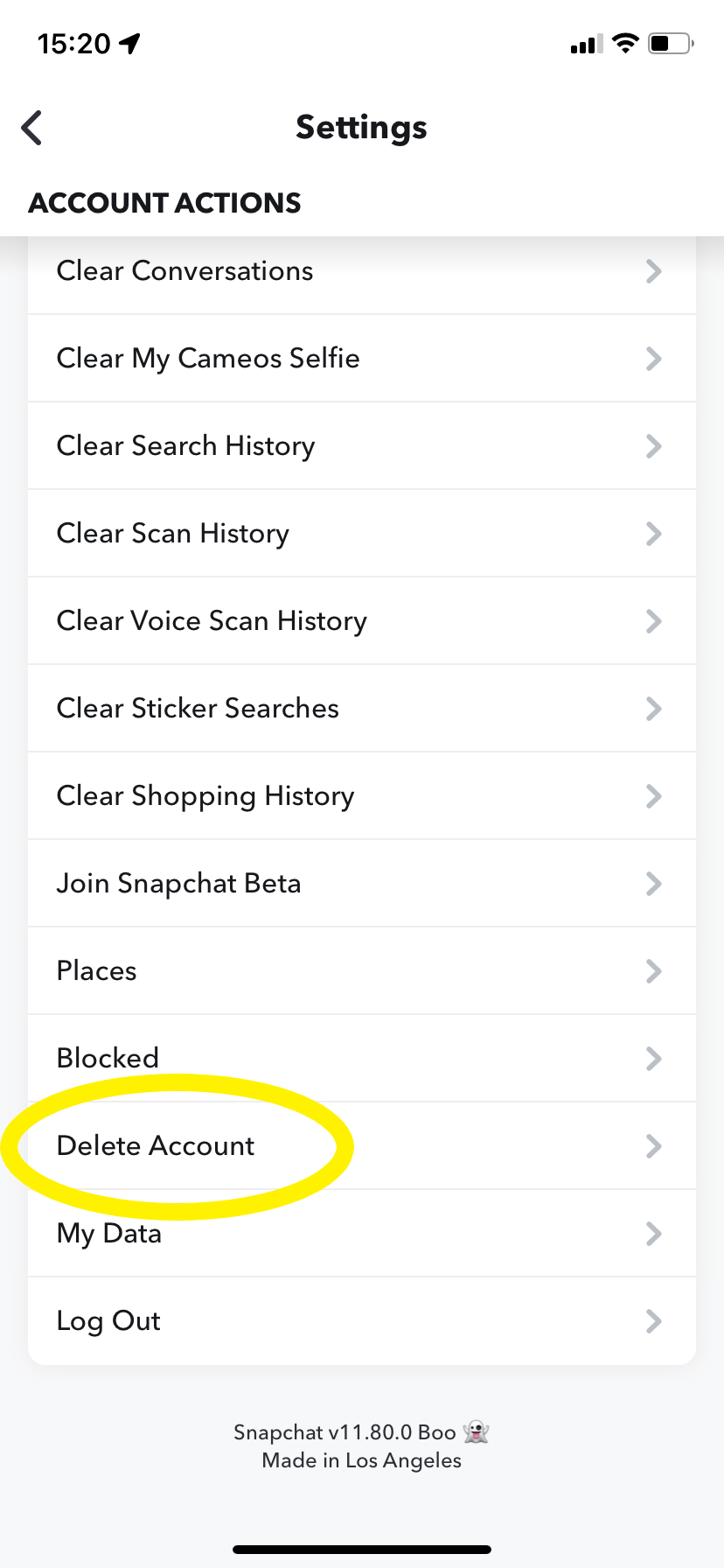
You may need to scroll down a bit to find this option.
-
Step
5Enter your login details and tap Log In
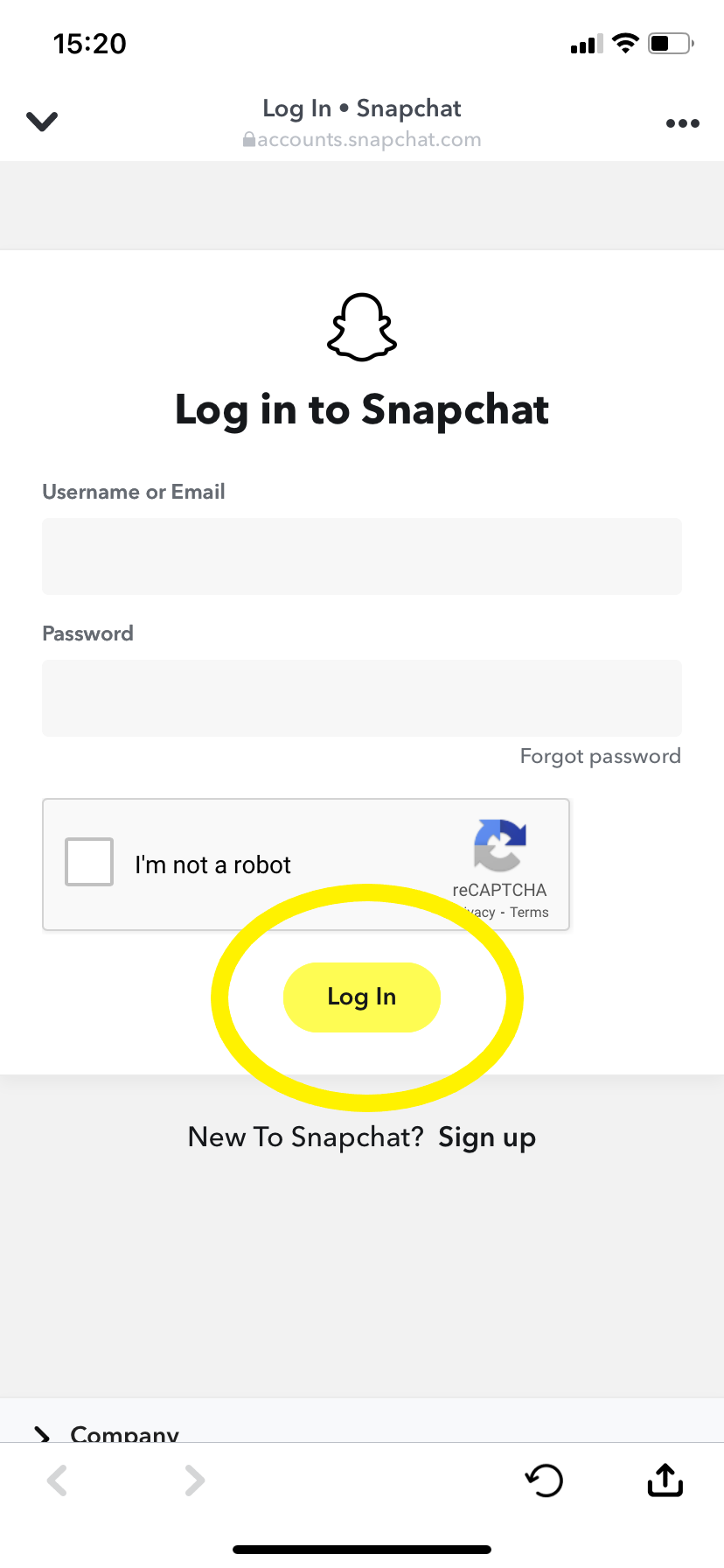
You can use your username or email to log in at this stage.
-
Step
6Enter your details once more and hit Continue to deactivate your Snapchat account
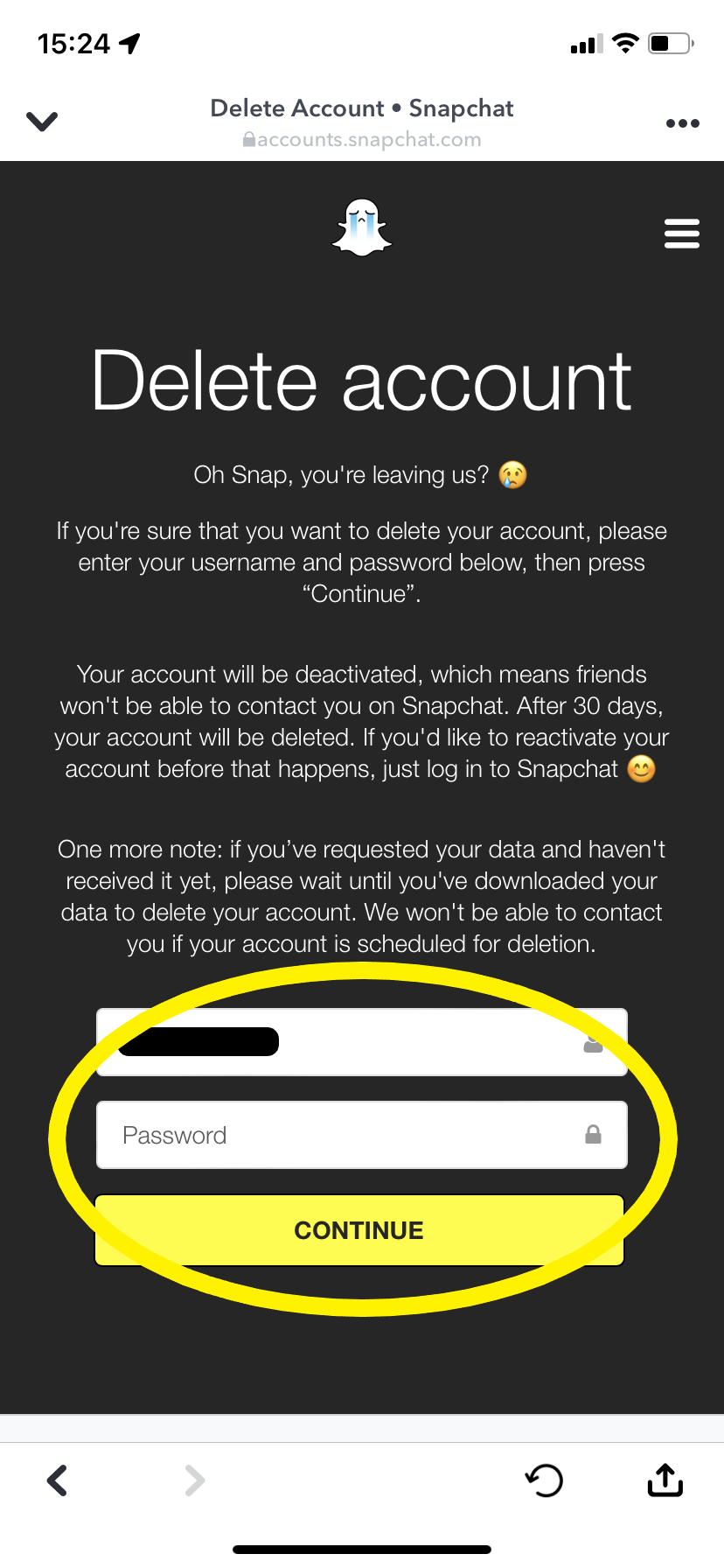
After 30 days, your account will be permanently deleted.
FAQs
If you want to delete your account on an Android phone or web browser, head directly to Snapchat’s accounts portal.
Then just sign in with your username and password, enter your login details once again to confirm and click Continue to delete your account.
If you change your mind within 30 days of deactivating, simply log back in to the Snapchat app with your username and password.
Just remember that you can’t use your email address to log in anymore and after 30 days your account will have been permanently deleted.
Originally posted 2023-09-29 09:31:28.