Starfield is a great sci-fi RPG, but it’s also plagued with numerous irritating quirks, particularly the overencumbered system.
This causes penalties to your stamina when you’re carrying too many items over your maximum capacity. Fortunately there are a few options to counteract this issue, such as storing items in your ship’s cargo hold, but it’s not made obvious how to do this.
In order to help free you of this conundrum, we’ve created this guide to explain step-by-step how you can store any item you want in the ship’s cargo hold. Surprisingly, there’s no need to be onboard your ship to do this, so the process can be completed remotely.
Save big on Starfield for Xbox Series X
Starfield is just a month away. You can save £17+ on the RRP on this AAA Bethesda RPG
- Hit
- RRP: £69.99
- Now: £52.85
View Deal
What you’ll need:
The Short Version
- Press Start on your controller
- Select Ship
- Press X on controller to open Cargo Hold
- Press LB to switch to Inventory
- Locate the item you want to transfer to ship
- Highlight selected item and press A on controller
- Press LB to see item stored in ship’s cargo hold
-
Step
1Press Start on your controller

This button should have three horizontal lines stacked vertically. Pressing the Start button will open up the main settings.
-
Step
2Select Ship
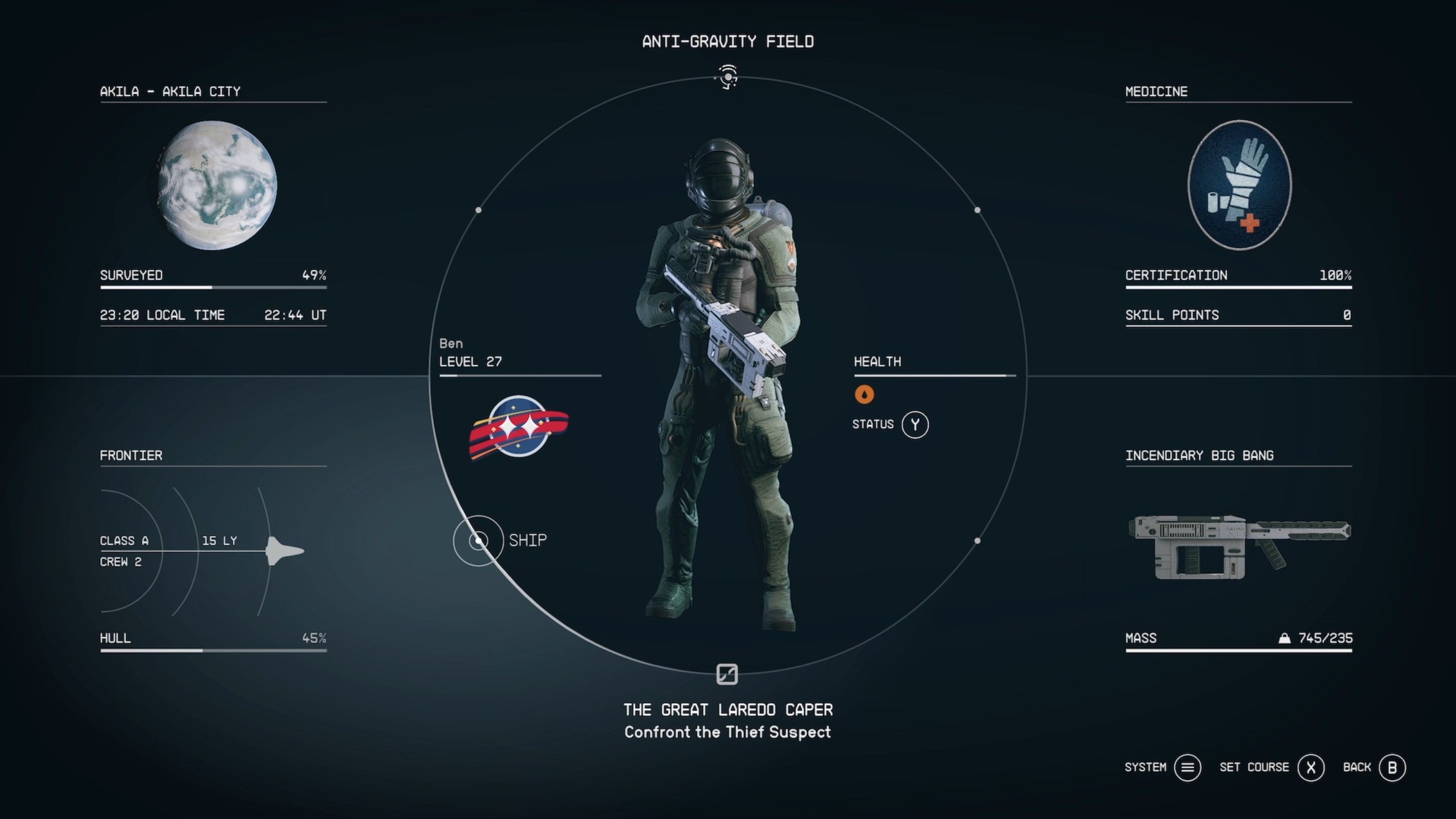
This is located on the bottom-left side of the circle.
-
Step
3Press X on controller to open Cargo Hold
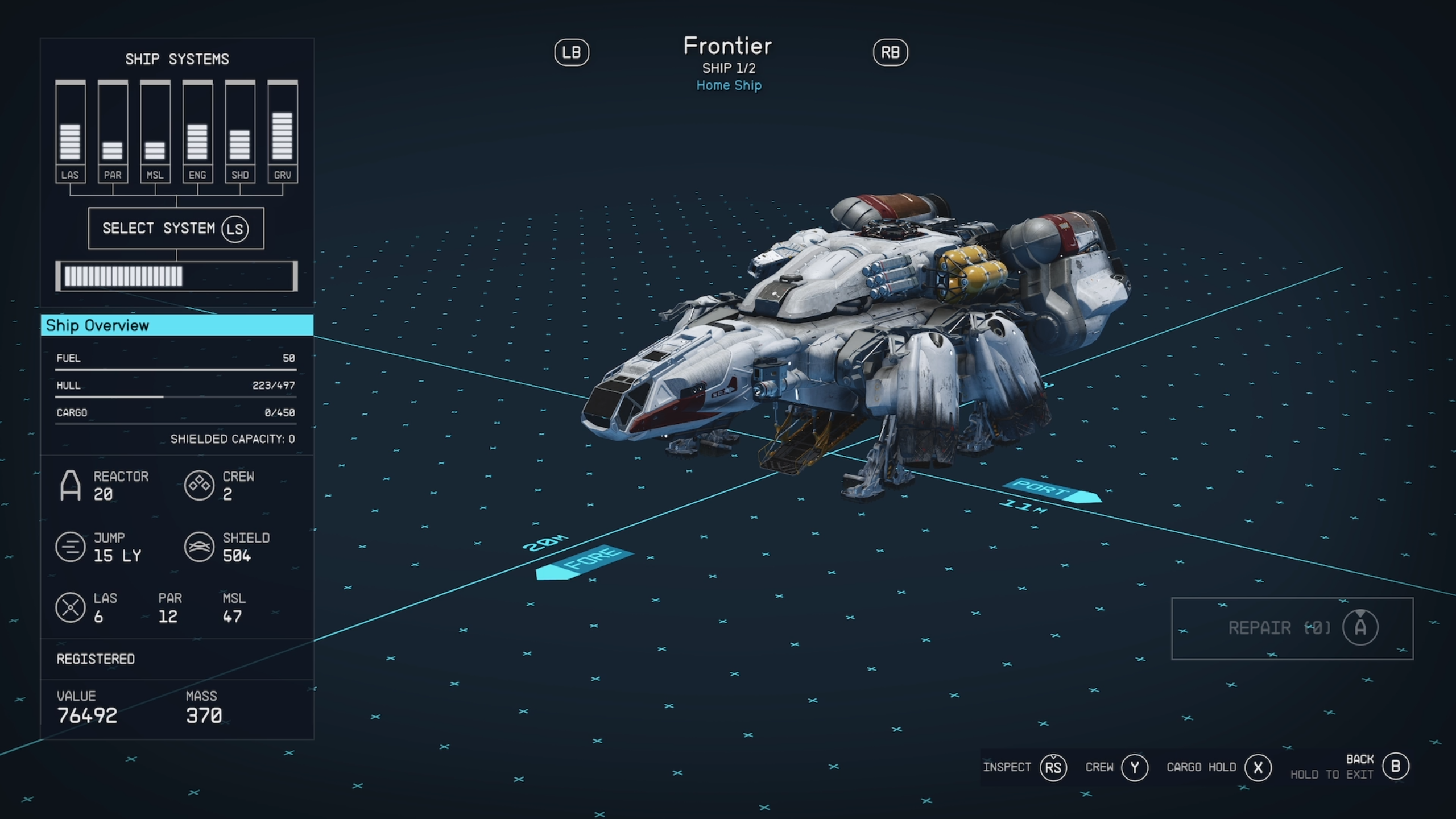
You should now see an image of your active spaceship. You can only store items on your active ship. Press X on the controller to access the ship’s cargo hold.
-
Step
4Press LB to switch to Inventory

You should now be inside the ship’s cargo hold. There’s a chance you’ll find items here that you’ve looted during a spaceship shootout. Otherwise, it will potentially be empty. Now press the LB shoulder button on the controller to access your character’s inventory.
-
Step
5Locate the item you want to transfer to ship
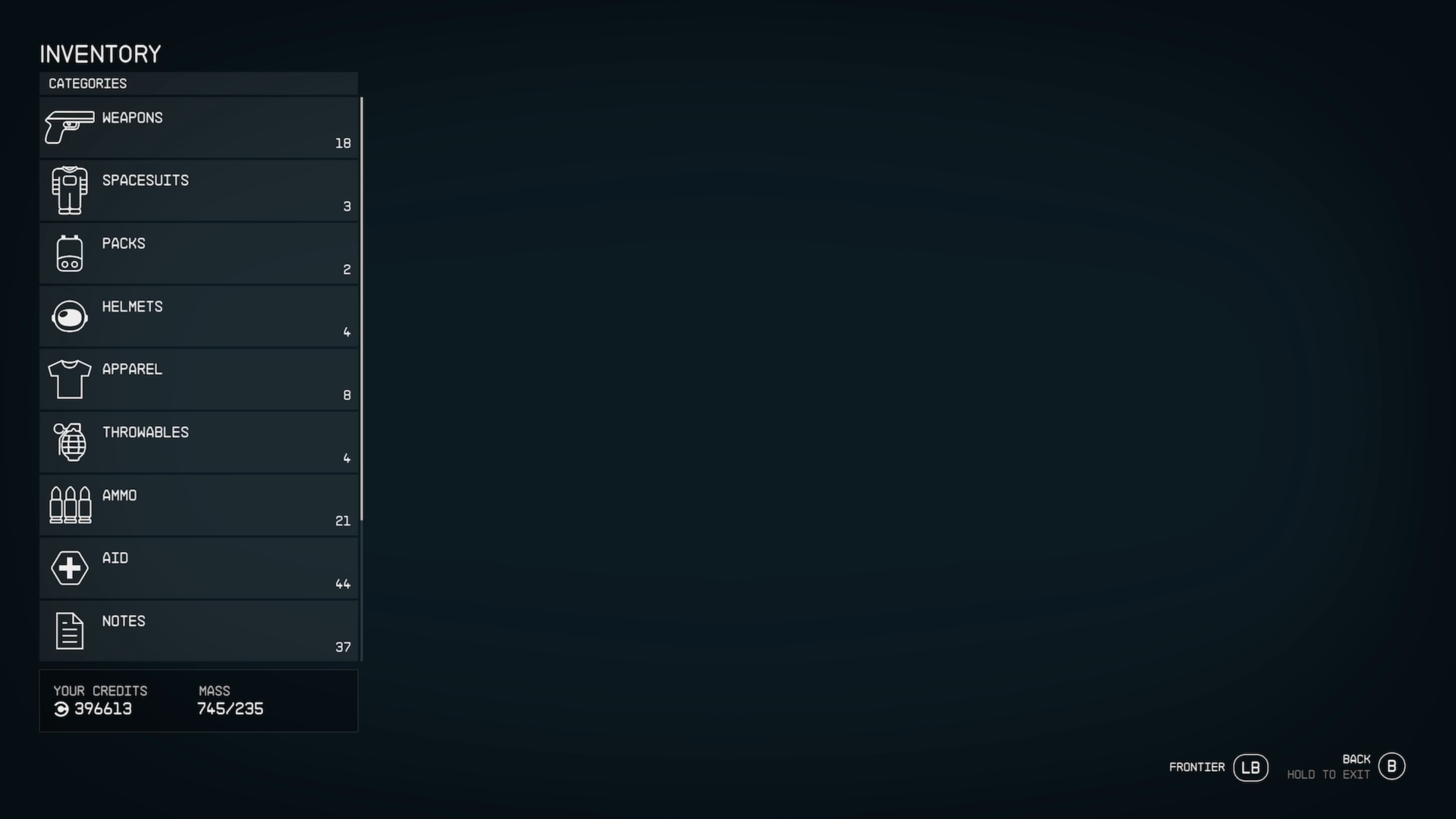
You should now see a list of items in your character’s inventory, categorised by Weapons, Spaceships, Packs, Helmets, Apparel, Throwables and more. Locate the item you wish to store in the cargo hold.
-
Step
6Highlight selected item and press A on controller
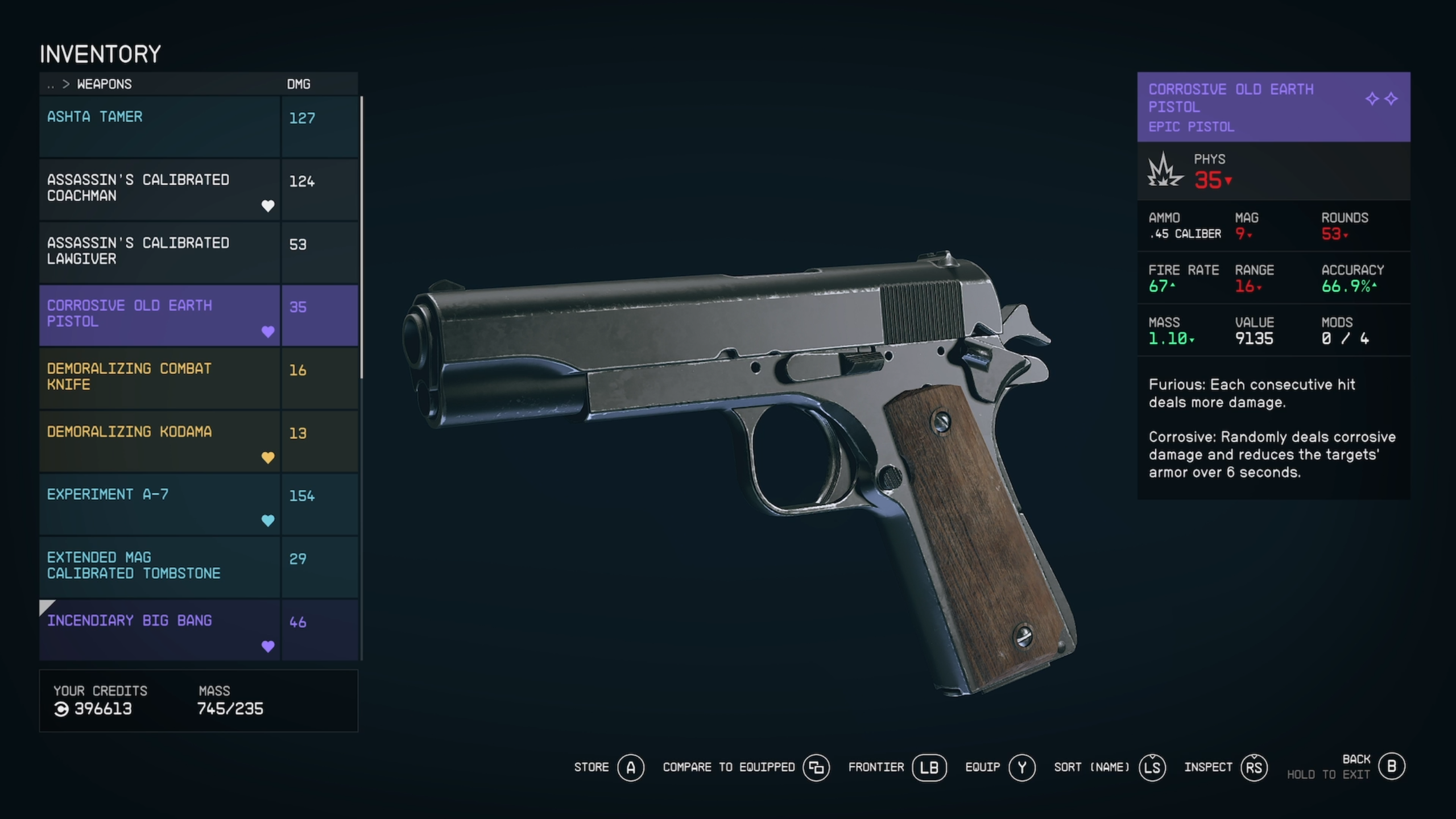
Once you’re hovering over the item you want to stowaway, press the A button on your controller. The item should now disappear from sight. If the item doesn’t transfer over to the cargo hold, it’s likely that your ship’s inventory has hit the max capacity.
-
Step
7Press LB to see item stored in ship’s cargo hold
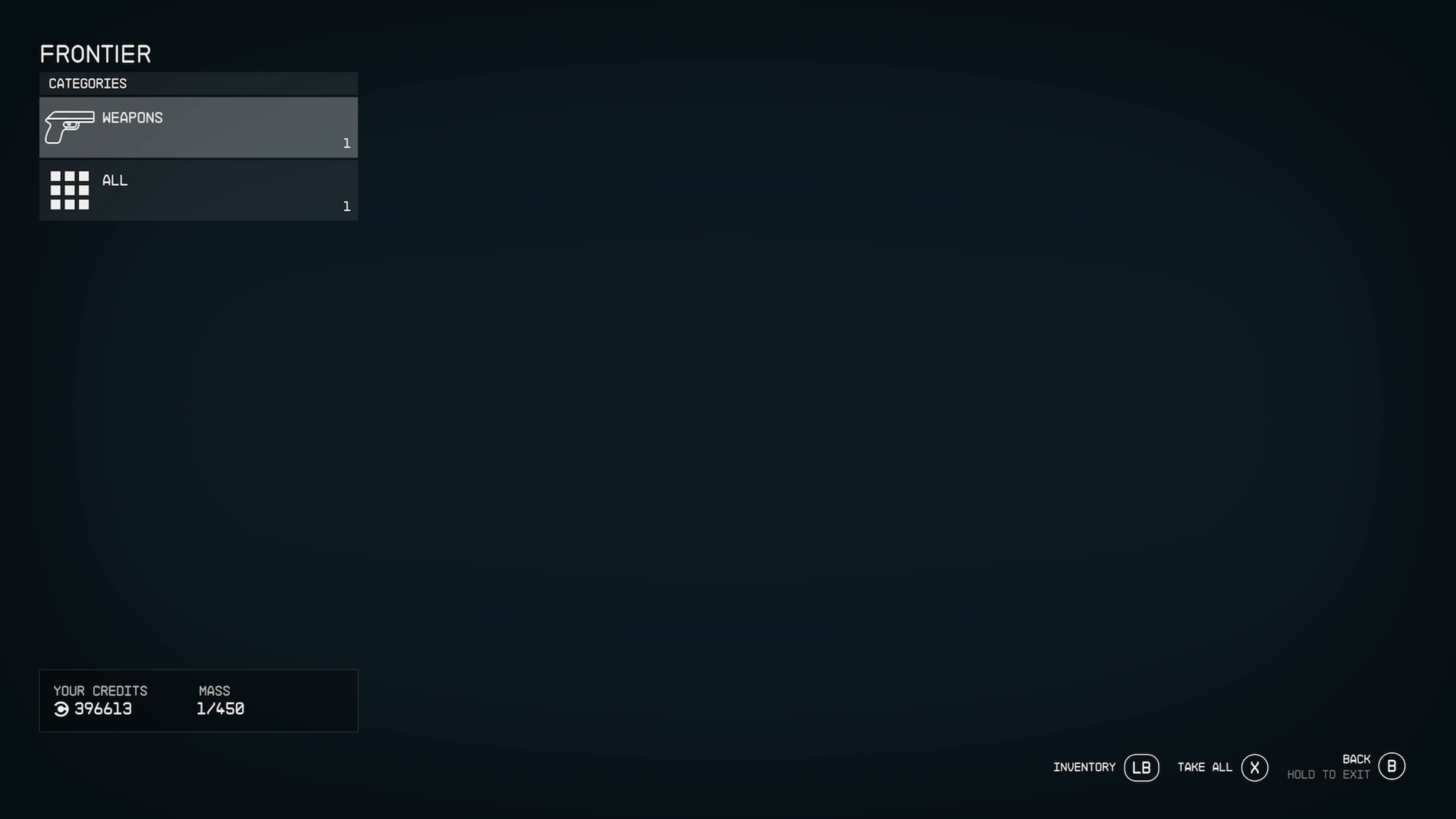
By pressing LB on your controller again, you should return to the ship cargo’s inventory. If you followed the steps above successfully, you should find the item you selected stowed away here. Job done!
Troubleshooting
You can either store items in your ship’s cargo hold or on companions that accompany you on missions. If you’re still running out of space, it’s worth upgrading your ship’s cargo capacity, or even buying a larger ship if you have enough credits.
No, you’re able to store items in the ship’s cargo hold remotely, even if you’re off in the wilderness of an alien planet.
Originally posted 2023-09-08 12:05:03.