With Black Friday 2023 officially behind us for another year, you may be thinking about cancelling your Prime subscription before the next bill arrives.
We don’t expect Amazon to host another major sale until Prime Day 2024, meaning if you only frequent the site for events like Prime Day, Prime Big Deal Days and Black Friday you might not need Prime’s premium delivery for a good six months or so.
Of course, there are a solid number of reasons to stick with Prime in the meantime.
As if free same-day and one-day delivery on regular items and 2-hour delivery on groceries weren’t enough to tempt you to stay, Prime also affords you access to exclusive Amazon offers and daily Lightning Deals.
Your Prime membership includes access to an extensive library of content from Amazon’s streaming apps, including TV, movies and live sports from Prime Video and more than 100 million ad-free tracks from Amazon Music Prime, as well as a discount on Amazon Music Unlimited.
On top of all this, Prime subscribers also receive a year’s worth of Deliveroo Plus and the ability to try up to six pieces of clothing before paying with Prime Try Before You Buy.
If you’re not fussed about many of the above perks or simply weren’t impressed by Amazon’s free trial, you’ll likely want to cancel your Prime subscription before you’re charged for another month. We’ve got you covered on how to do just that.
Stay on this page to learn how to cancel an Amazon Prime subscription in just a couple of minutes.
Apple Music
Apple Music gives you access to over 100 million songs and 30,000 playlists, ad-free. Listen online or off, across all your devices, and hear sound all around in Spatial Audio with dynamic head tracking. You can now try 1 month for free!
- Apple
- Get 1 month free
- £10.99 p/m
Sign up
What you’ll need:
- An Amazon Prime account
The Short Version
- Head to Amazon
- Hover over Account & Lists
- Click Your Prime Membership
- Select Update, Cancel And More
- Click End Membership
- Click Continue To Cancel
- Hit End Membership Now
How to cancel Amazon Prime
-
Step
1Head to Amazon
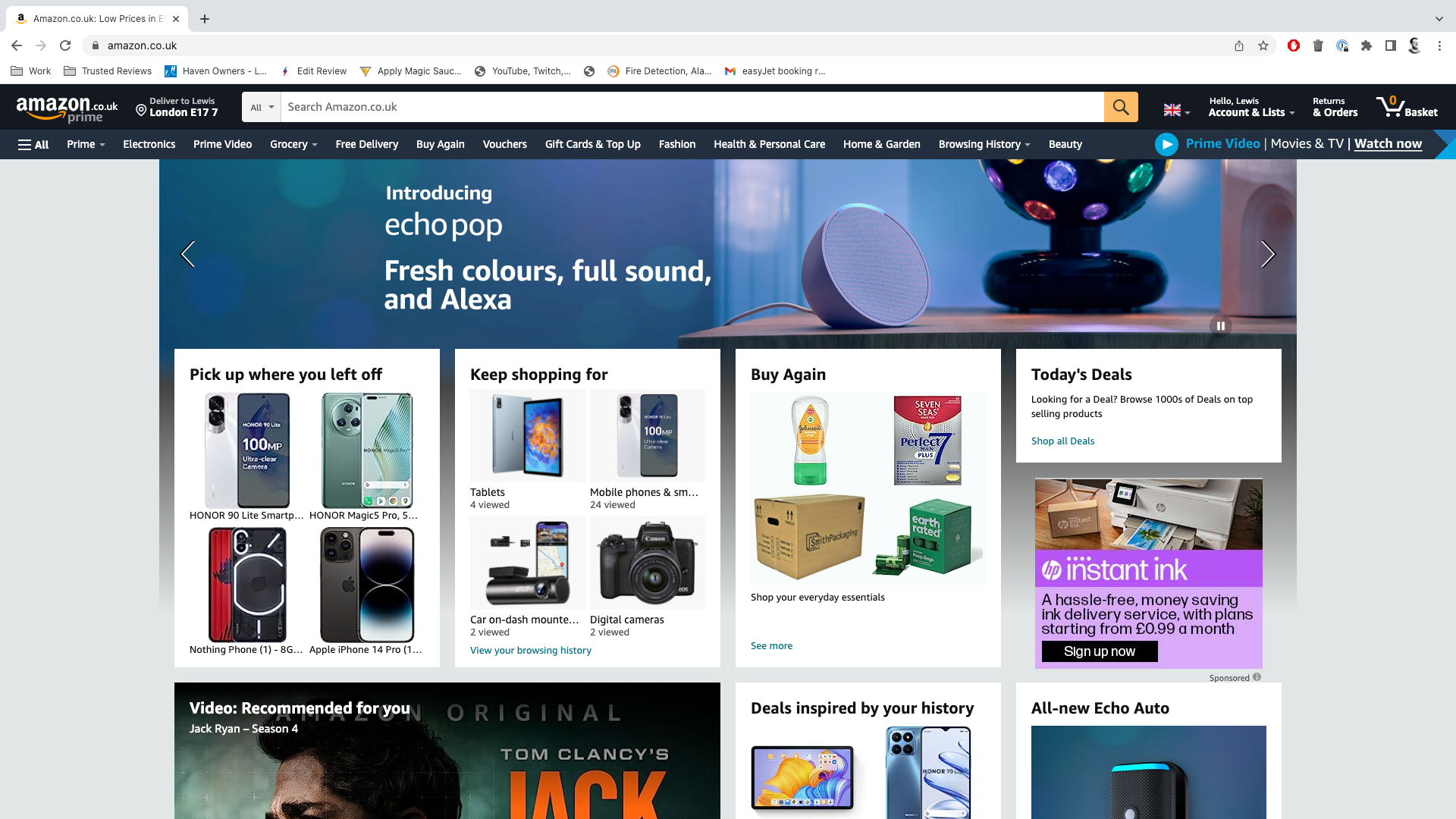
Sign into your Prime account if you aren’t already logged in.
-
Step
2Hover over Account & Lists
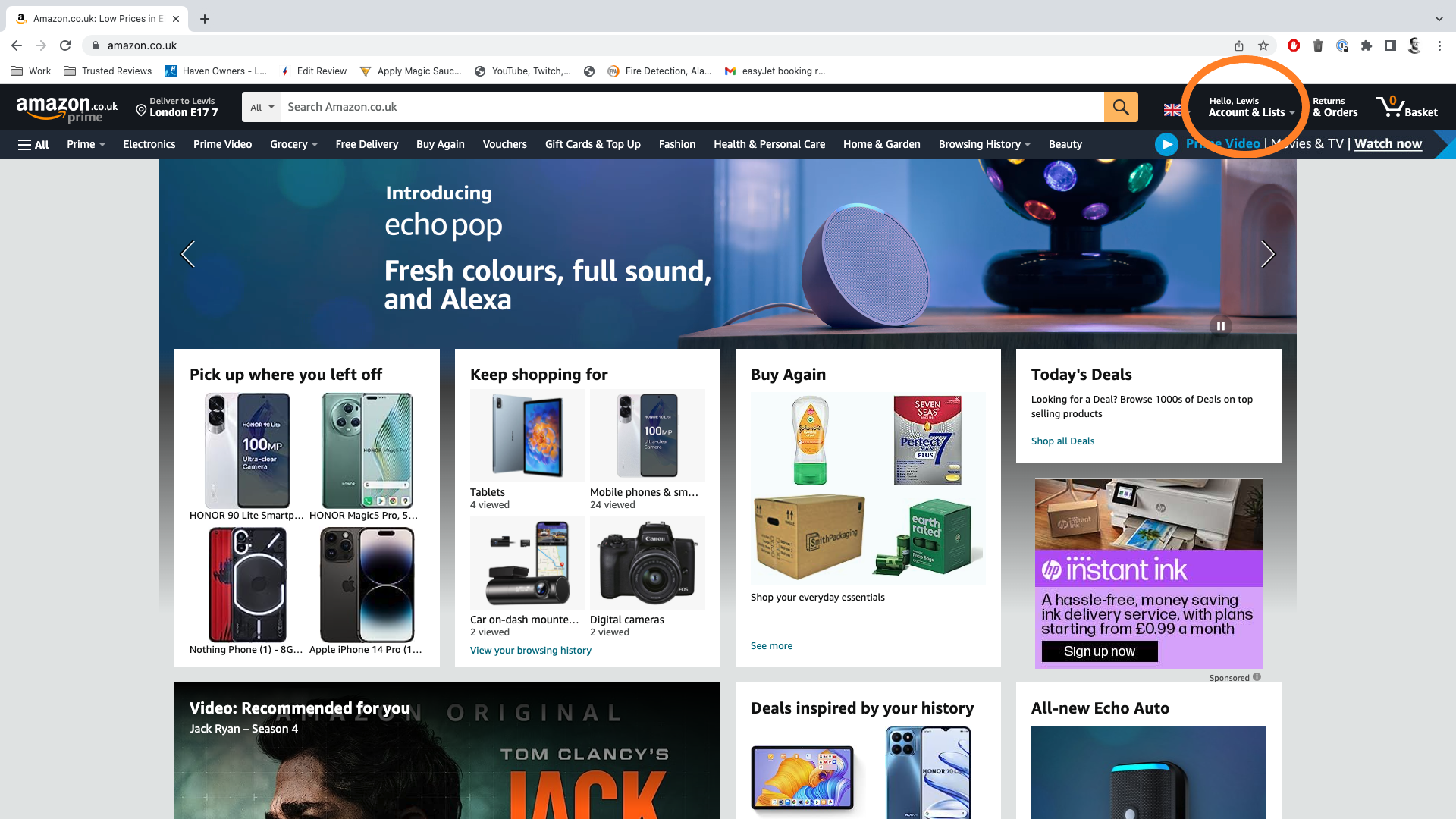
You can find this button in the top-right corner below your name.
-
Step
3Click Your Prime Membership
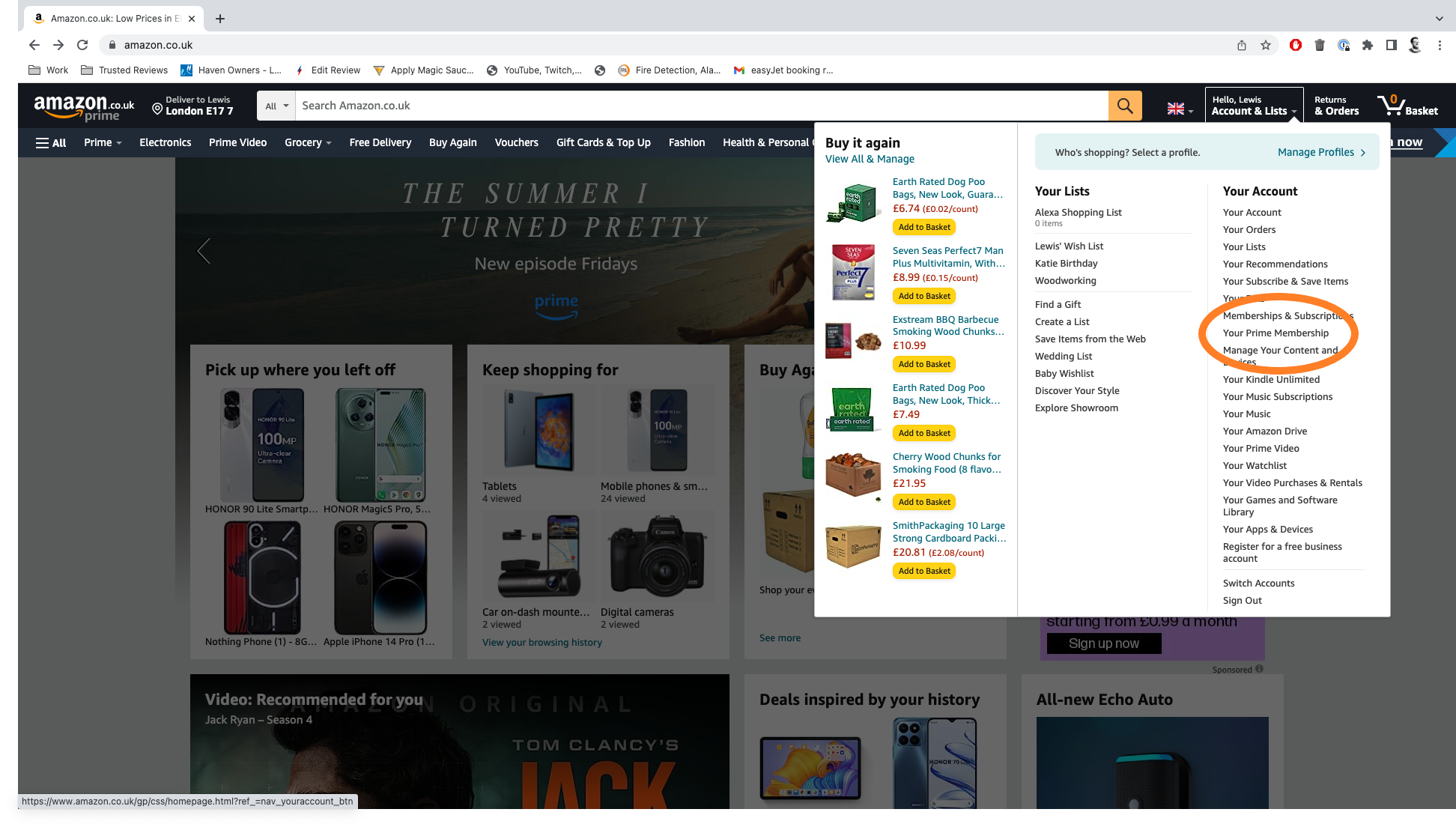
This should be about halfway down the dropdown list.
-
Step
4Select Update, Cancel And More
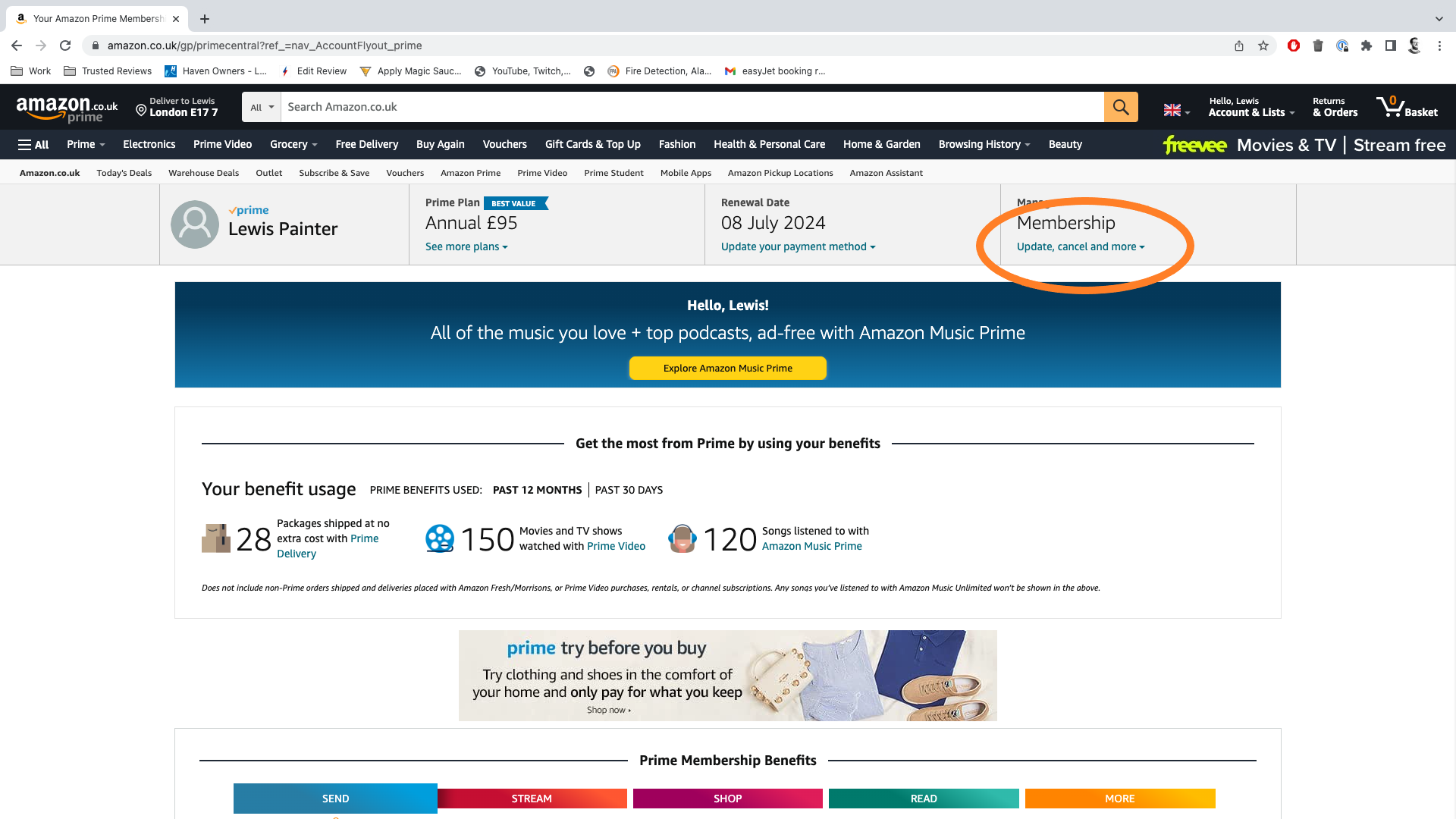
You can find this link under the word Membership.
-
Step
5Click End Membership
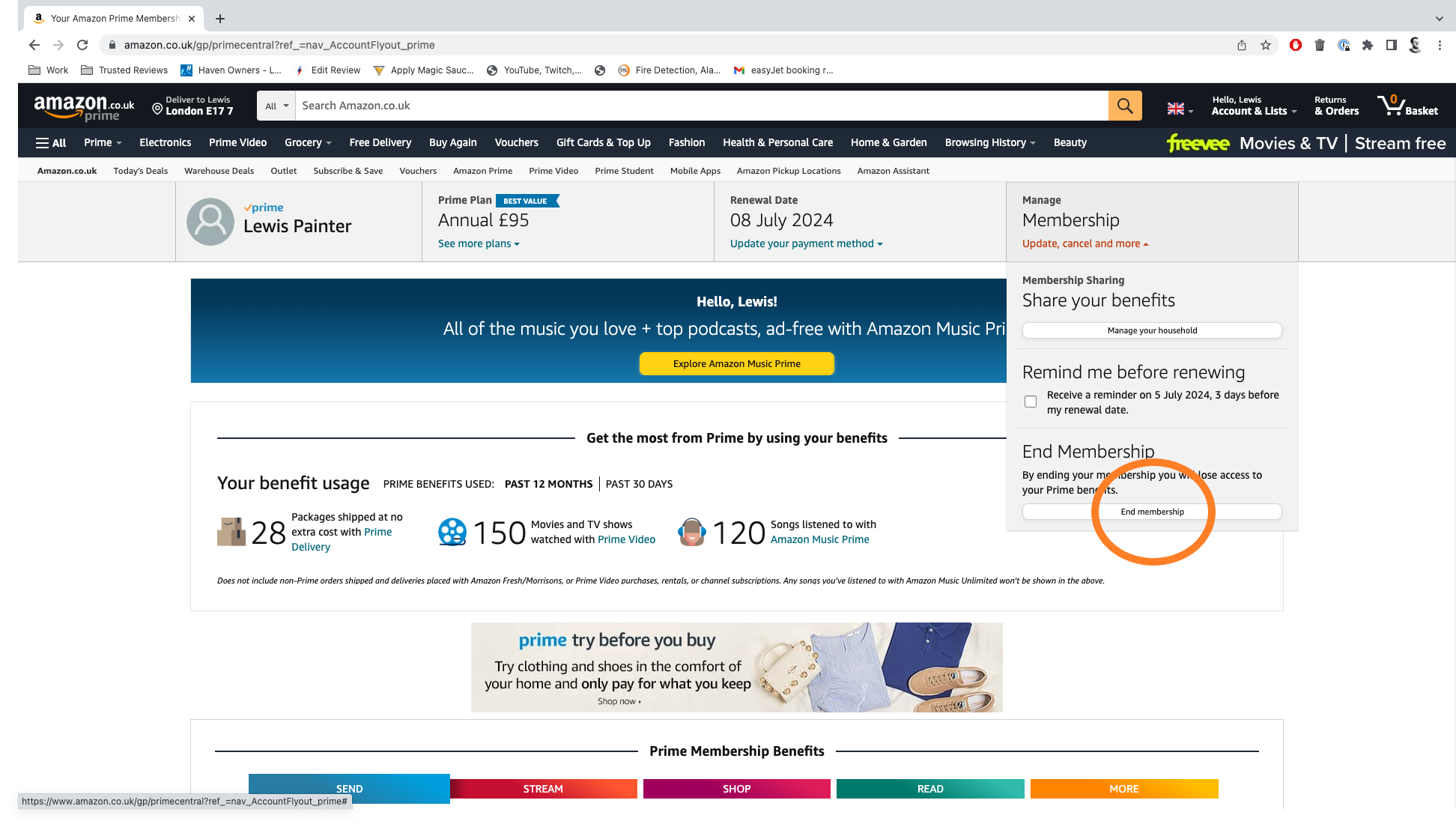
This will take you to Amazon’s Prime cancellation page.
-
Step
6Click Continue To Cancel
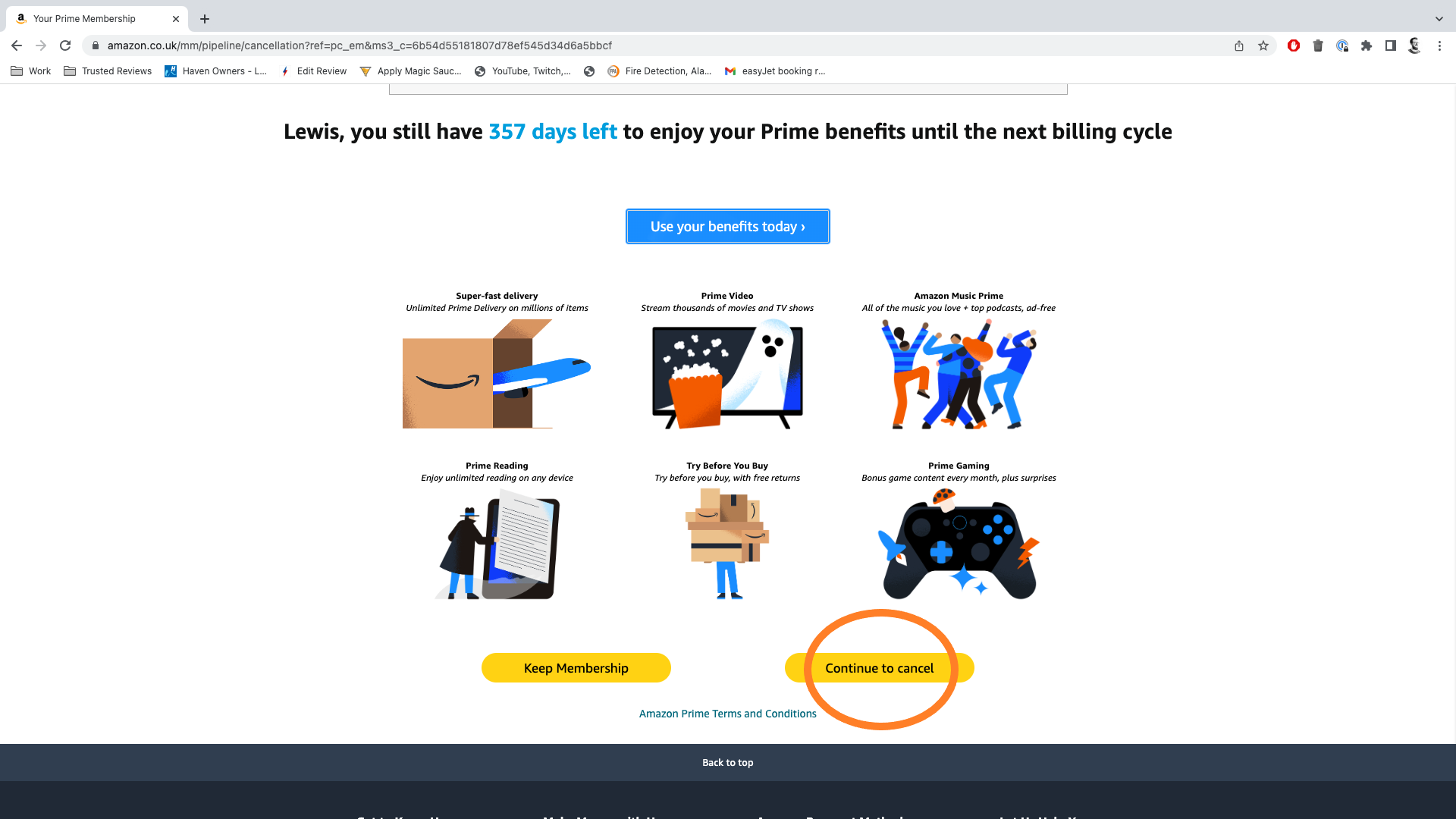
At this stage, Amazon will try to convince you to stick around by listing all the benefits you’re about to miss out on.
-
Step
7Hit End Membership Now
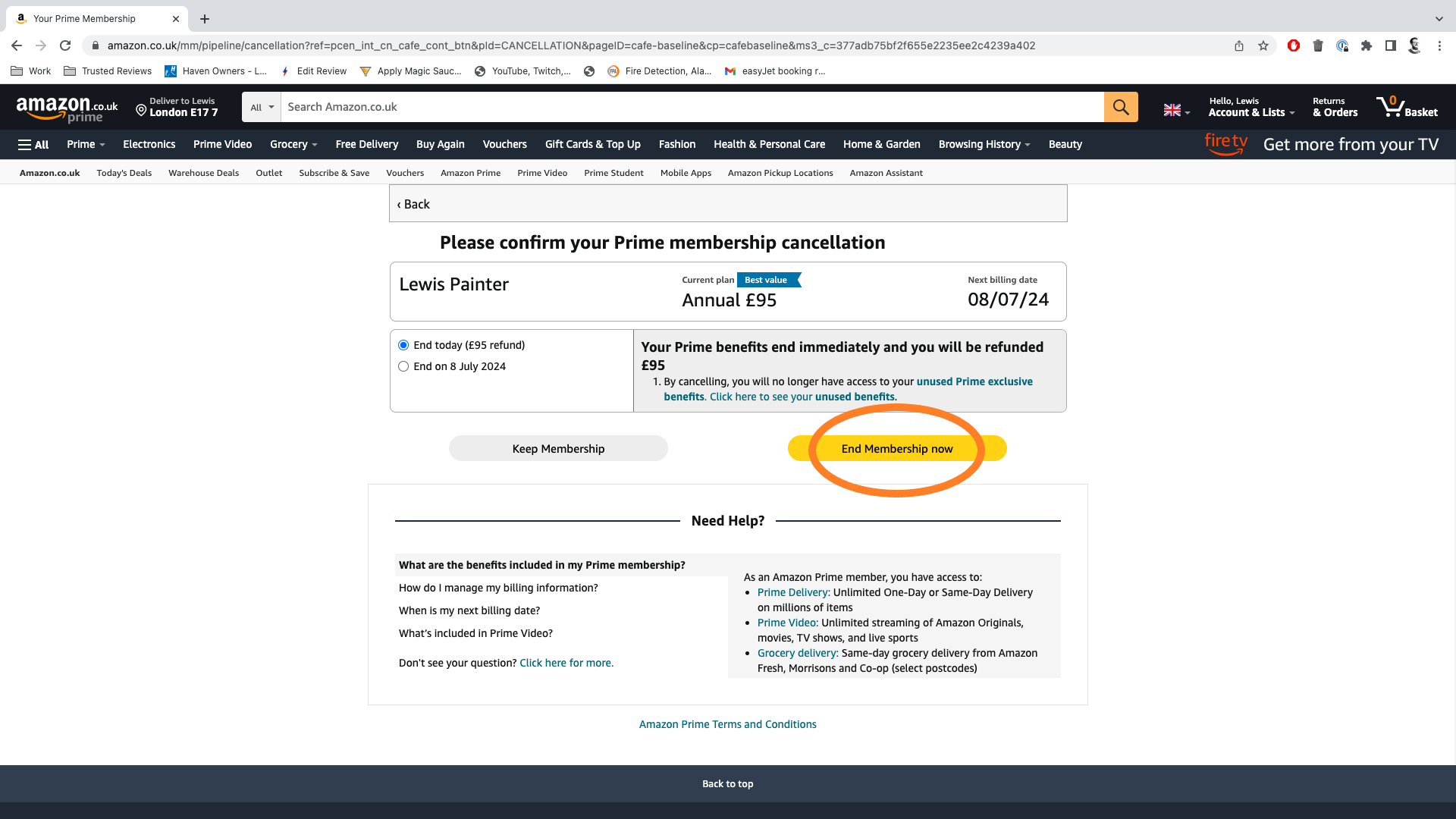
Make sure End Today is selected if you don’t want to hold onto your Prime account until the end of your current subscription.
Troubleshooting
Yes, Amazon does currently offer a 30-day free trial for new Prime users.
Yes, students can get 50% off Amazon Prime and an extended 6-month free trial when they first sign up for the service.
Originally posted 2023-12-04 14:30:00.