With the rush of Black Friday behind us, it’s understandable that there might be an Amazon package or two you regret buying in the heat of the moment.
The good news is that most Amazon orders can be sent back to the warehouse within their return period, provided they are still unused and undamaged. There are a few exceptions, including digital content like apps and ebooks, personalised items, products close to expiring and items that have had their seals removed.
Whether a particular product didn’t meet your expectations, arrived damaged or you’ve simply changed your mind, we’ve put together this guide to take you through the steps necessary to return an order to Amazon.
Keep reading to learn how to return an order on the Amazon app or scroll down to the troubleshooting section of this guide for steps on how to return orders through the Amazon website…
What you’ll need:
- An Amazon account
- An order within Amazon’s return period
The Short Version
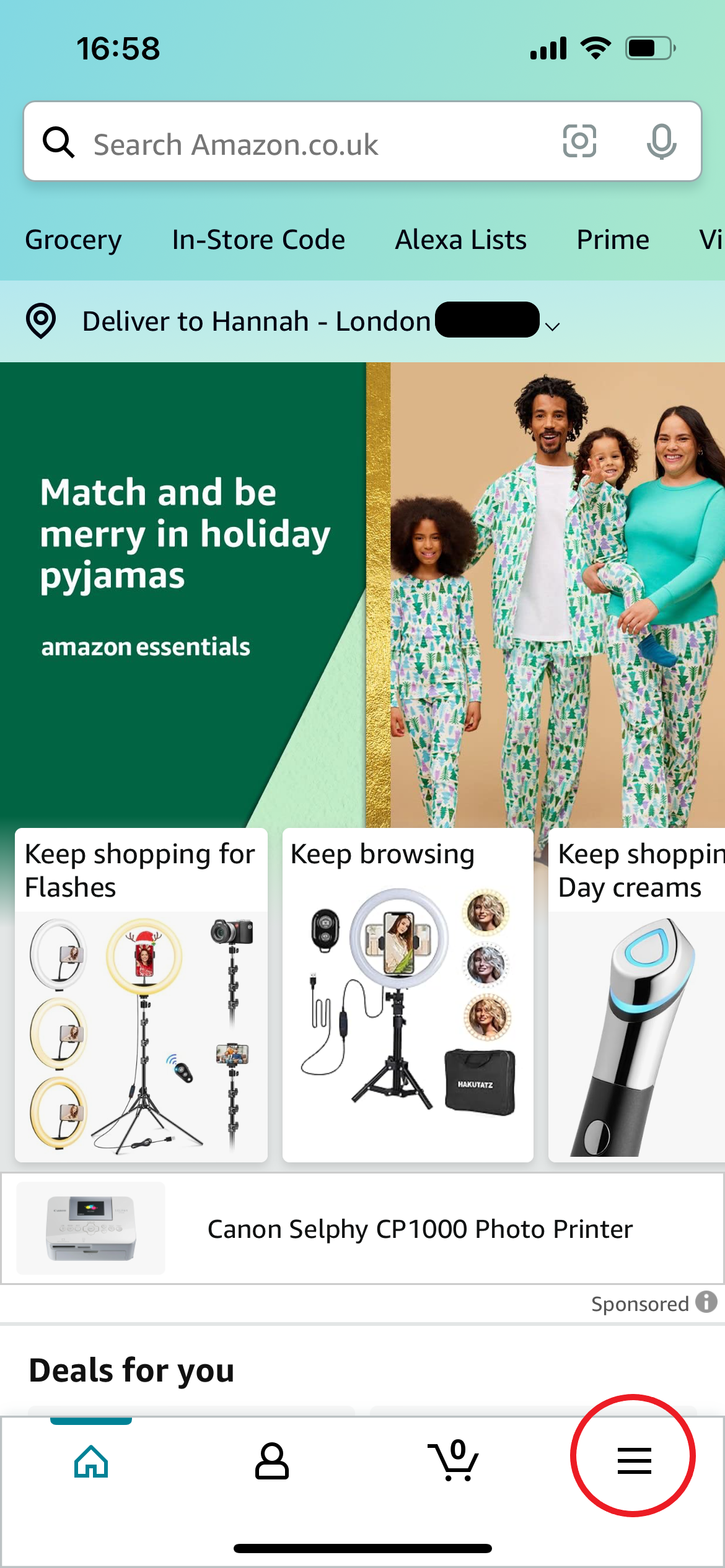
- Tap on the menu icon in the Amazon app
- Tap Your Orders
- Select the order you want to return
- Tap Return Or Replace Items
- Select a reason for the return
- Choose how you want to receive your refund
- Select a return method and tap Confirm Your Return
How to return an Amazon order
-
Step
1This can be found in the bottom right corner and resembles three horizontal lines. We’ll be using screenshots from the iOS app for this guide.
-
Step
2Tap Your Orders
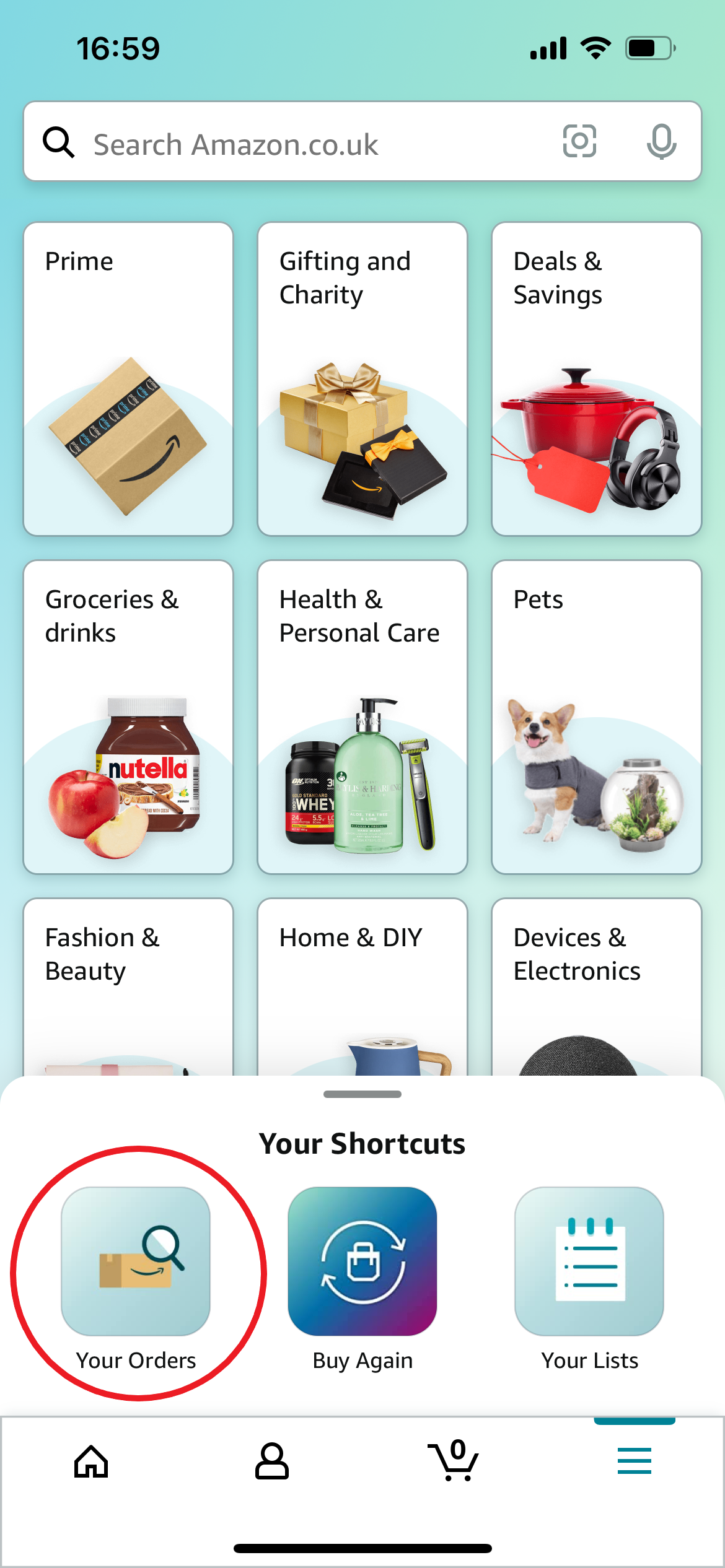
This can be found in the bottom left corner.
-
Step
3Select the order you want to return
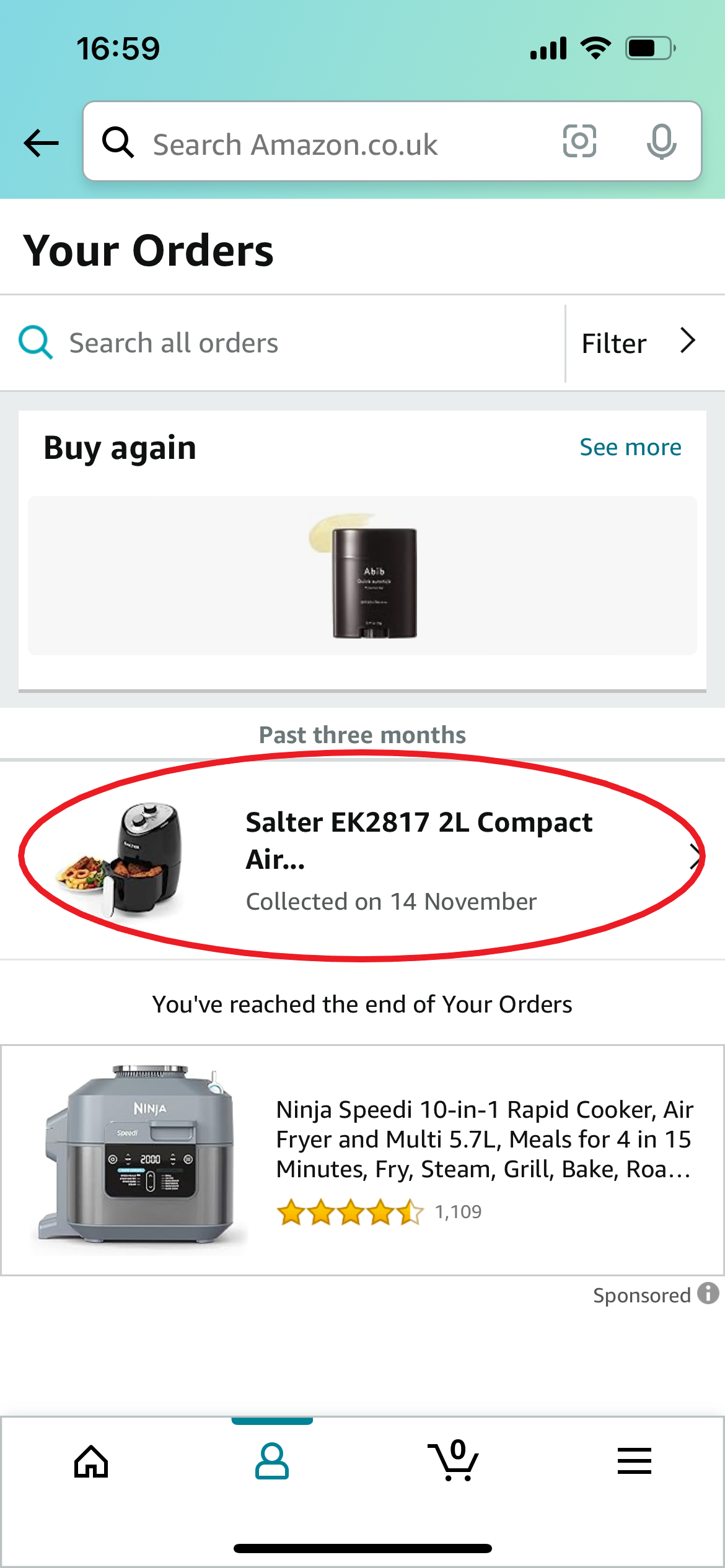
This can be anything still within its return period.
-
Step
4Tap Return Or Replace Items
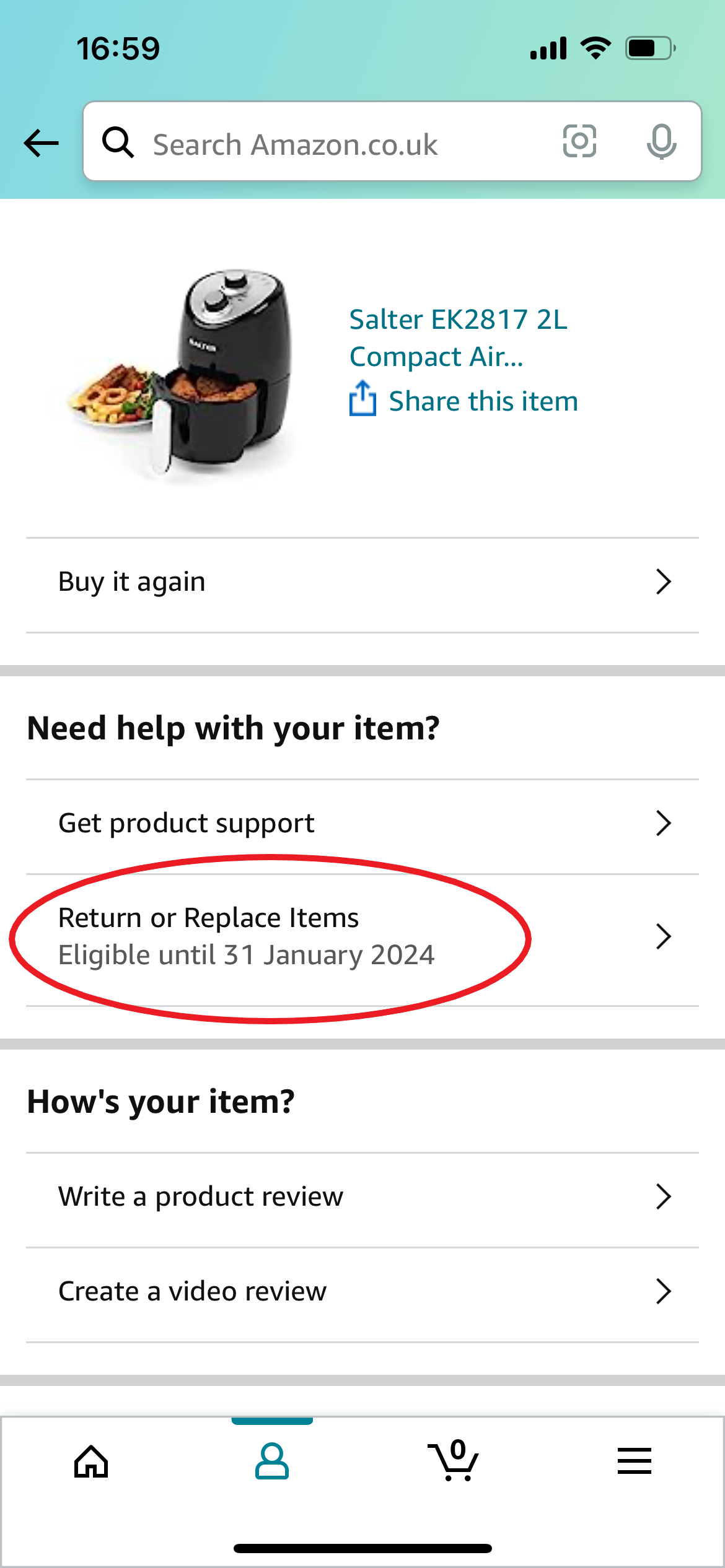
This will also tell you when your return is eligible until.
-
Step
5Select a reason for the return
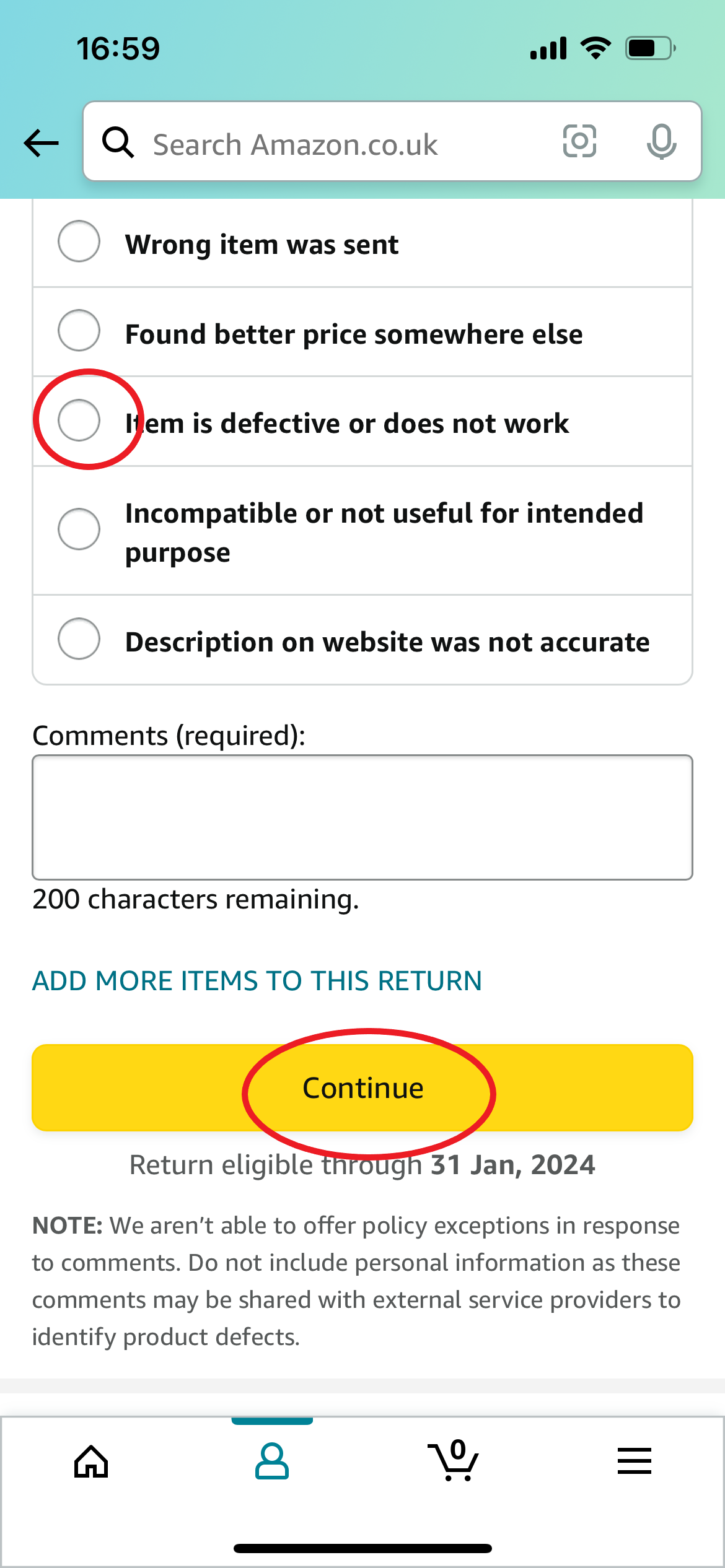
Then tap Continue.
-
Step
6Choose how you want to receive your refund

You can choose between an exchange, your Amazon account balance or your bank card. Once you’ve selected your choice, tap Continue.
-
Step
7Select a return method
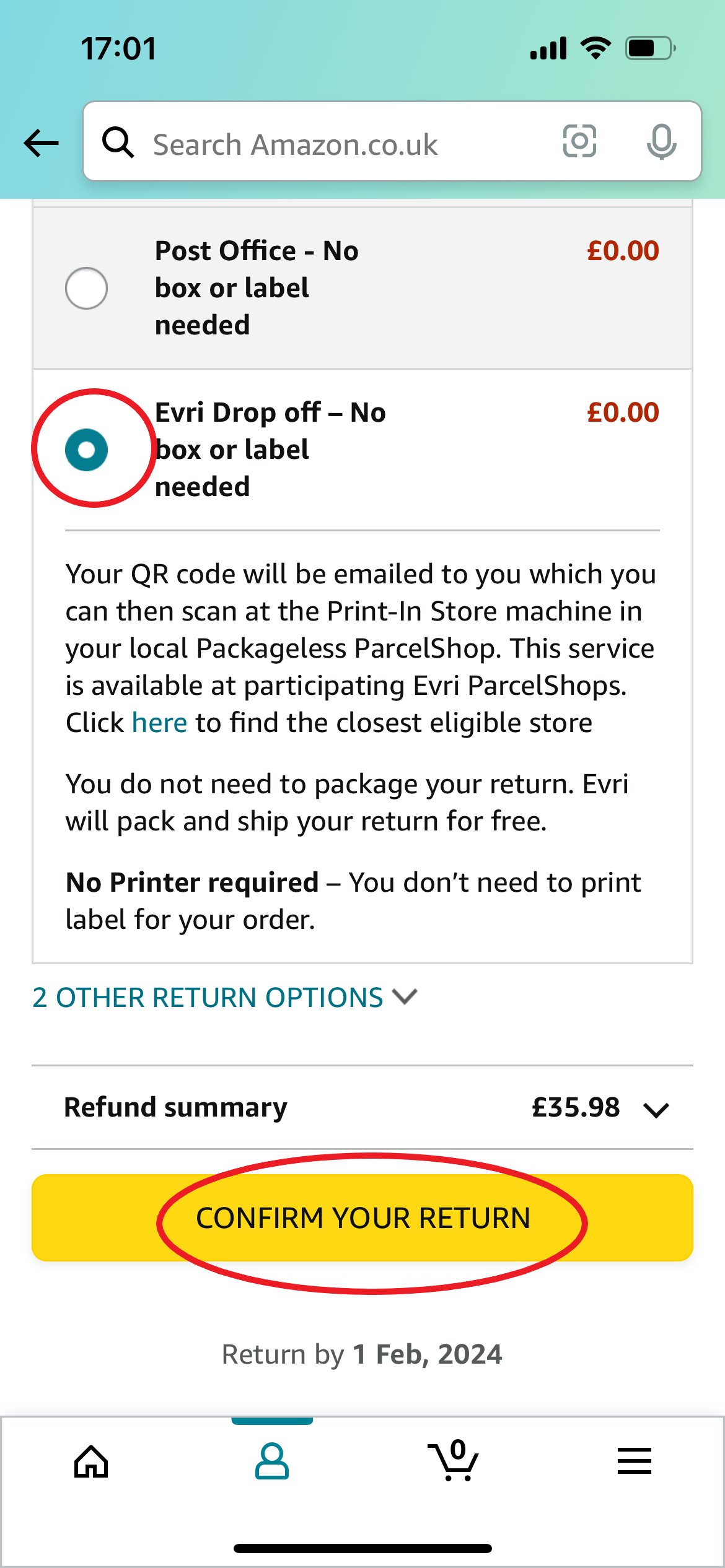
Finally, tap Confirm Your Return to begin the return process.
Troubleshooting
You can also return an Amazon order on your PC or smartphone using the Amazon website.
To do this, simply log into your account, click Returns And Orders, tick the box next to the item you want to return, select a reason for the return, choose a refund option, select a return method and hit Confirm Your Return.
Most orders can be returned to Amazon within 30 days of receipt of delivery. However, this number can vary depending on the product so be sure to check before you order if you’re unsure.
If your order was sold or dispatched by Amazon itself, Amazon will refund the cost of sending that item back to its warehouse. In many cases, you’ll receive a free pre-paid returns label upon requesting your return.
However, some items may incur a return charge, with prices starting at £3.99 in the UK and £8.09 internationally. The cost will be higher on orders that contain large or multiple items. Again, you’ll want to check the specific item to find out.
Originally posted 2023-11-30 13:10:00.