In early 2023, Instagram announced a new feature called Broadcast channels and, in September, the feature finally made its way to the UK.
Instagram Broadcast channels are essentially large-scale, primarily one-sided group chats that allow creators to message large numbers of people at one time. Creators can use text, photo, video, voice notes and polls to communicate with their followers, updating them with news and account changes and sharing behind-the-scenes moments without overcrowding their feed.
Those who join the channel can react to messages and participate in polls, allowing them to provide feedback and share their own opinions (albeit, without the option to respond in words).
However, joining a Broadcast channel ultimately means more Instagram notifications which might not be something you’re interested in. We’ve put together this guide to show you how to leave any Broadcast channel with just a few taps.
What you’ll need:
- A smartphone or tablet
- An Instagram account
The Short Version
- Open the Broadcast channel you wish to leave
- Tap the name of the Broadcast channel
- Select Leave
- Tap Leave again to confirm
How to leave an Instagram Broadcast channel
-
Step
1Open the Broadcast channel you wish to leave
You can find your Broadcast channels by heading to that user’s profile or by tapping a notification from that channel.

-
Step
2Tap the name of the Broadcast channel

This is the bold text at the top of the screen.
-
Step
3Select Leave

You can also choose to Mute the chat if you don’t want to leave but no longer wish to receive notifications from the channel.
-
Step
4Tap Leave again to confirm
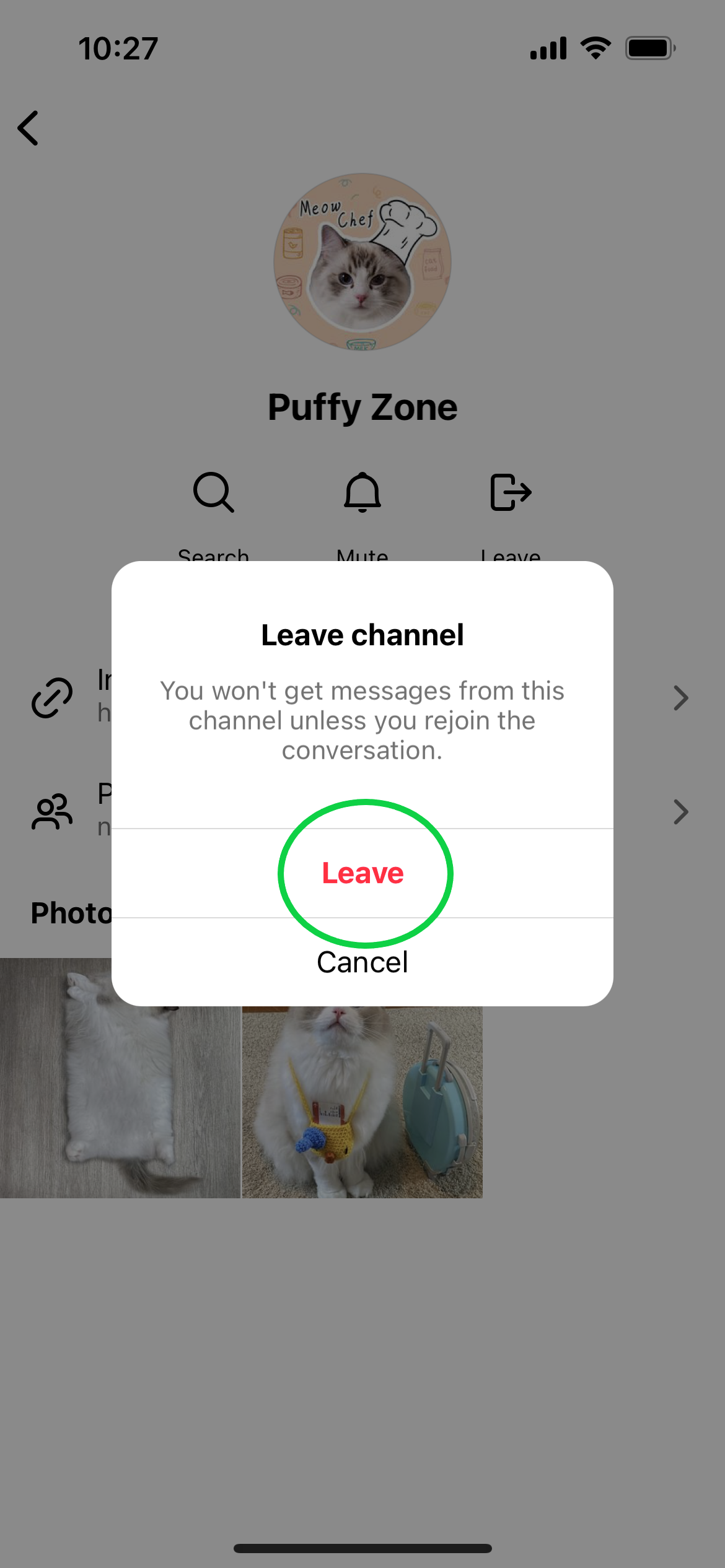
You will no longer see messages from this channel.
Troubleshooting
You can join (or rejoin) a Broadcast channel by heading to the profile of any user with their own channel, tapping the name of the channel below their Instagram bio and hitting Join.
You can also find invitations to join the channels of accounts you follow in your notifications tab.
If you just want to stop receiving messages and notifications from a Broadcast channel you’ve joined, follow the steps above but select Mute instead of Leave.
Originally posted 2023-10-27 10:31:11.