With more streaming services than ever before, you may want to cut down on your monthly bills and strike a few platforms from your roster.
We are truly living in a golden age of television; not only are there dozens upon dozens of award-winning movies and TV shows available at your fingertips, but there are a plethora of streaming services cropping up on the market.
With more than 100 streaming services to choose from, it can be hard to pick and choose which platform you actually need immediate access to. That’s why you may have come to the conclusion that Sky’s NOW service isn’t worth your time anymore; whether it doesn’t have any exclusive content that interests you or you just want to save a little money, cancelling your NOW subscription is a surprisingly simple process.
If you want to learn how to delete your NOW account then make sure you keep reading, as we’re going to be running through the entire process in a simple step-by-step list.
What we used
The Short Version
- Open up NOW
- Click on My account
- Click on Manage account
- Click on NOW membership
- Click Cancel membership
- Scroll to the bottom of the page
- Click continue cancelling
-
Step
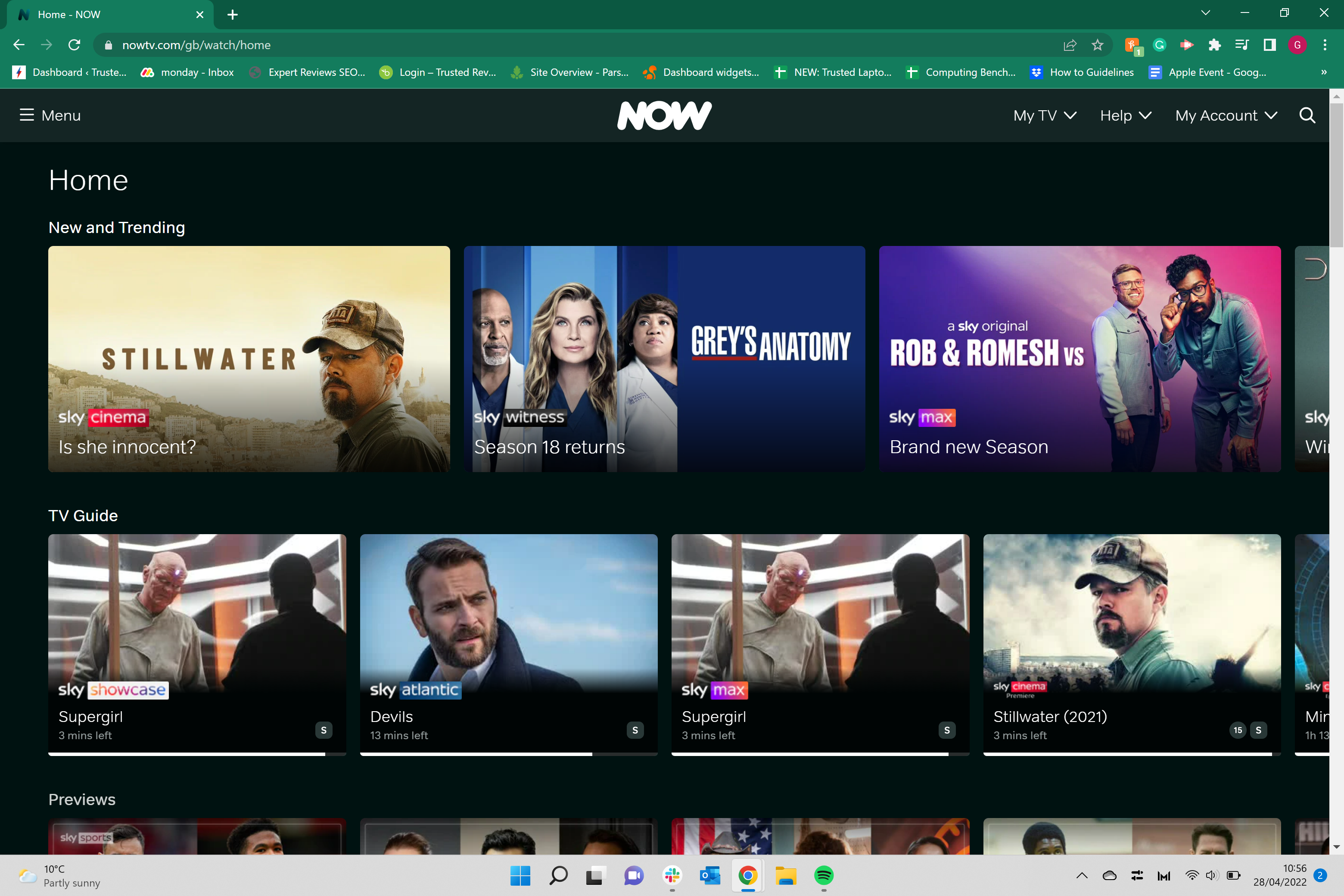
1Open up NOW
Open up NOW and log into your account.
-
Step
2Click on My account
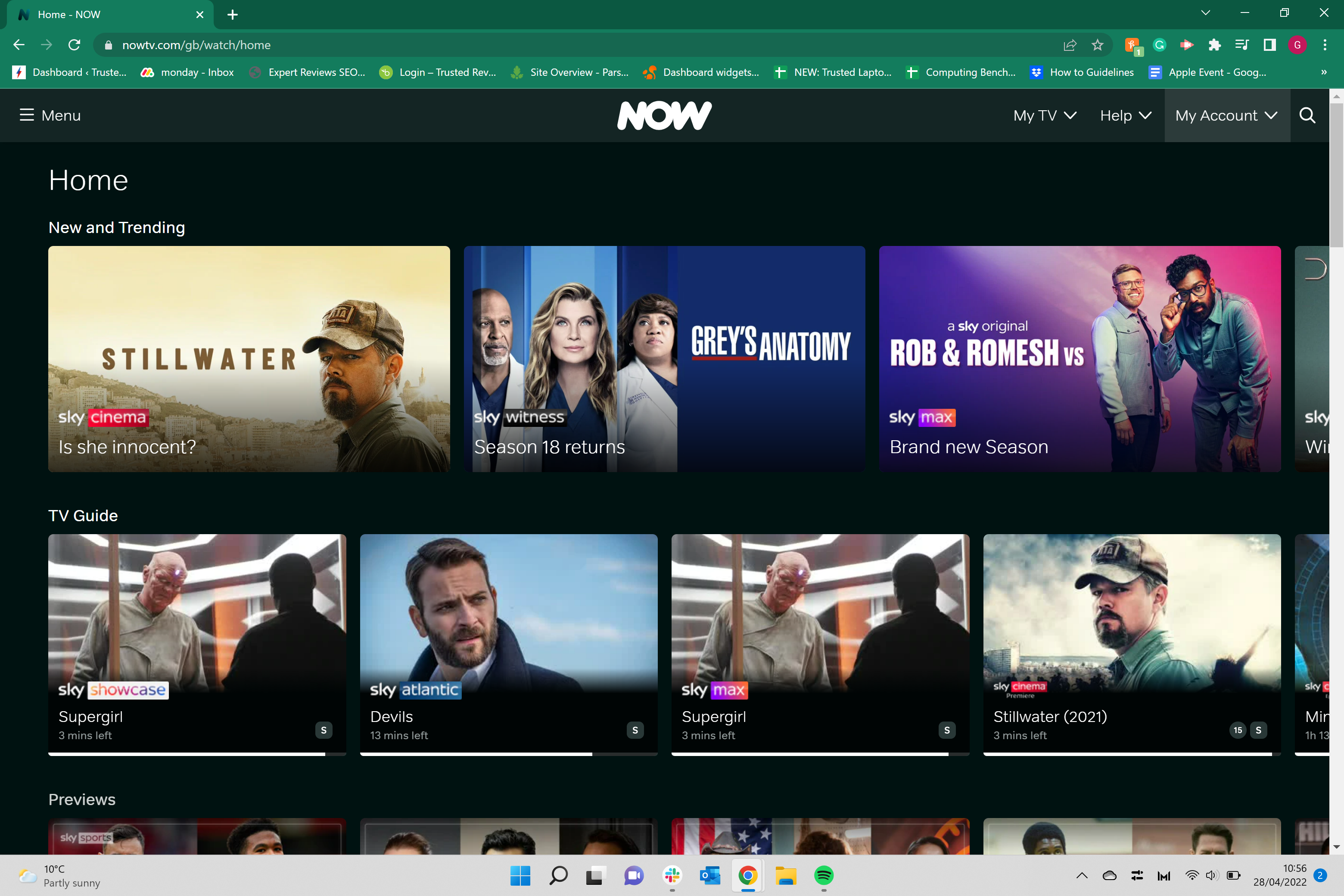
Click on the My Account button, it is in the upper right-hand corner of the screen.
-
Step
3Click on Manage account
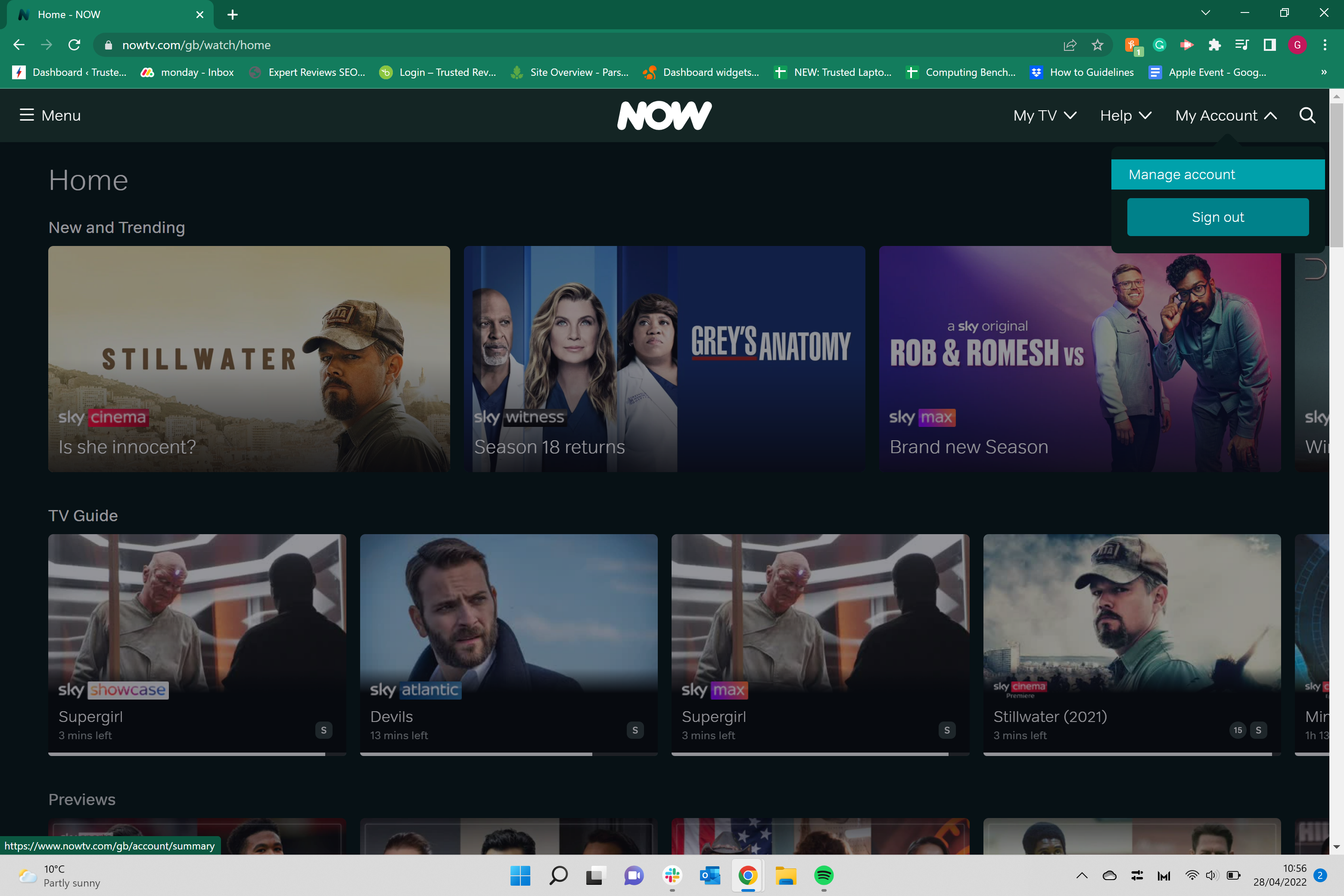
From the drop-down menu, click on Manage account to continue.
-
Step
4Click on NOW membership
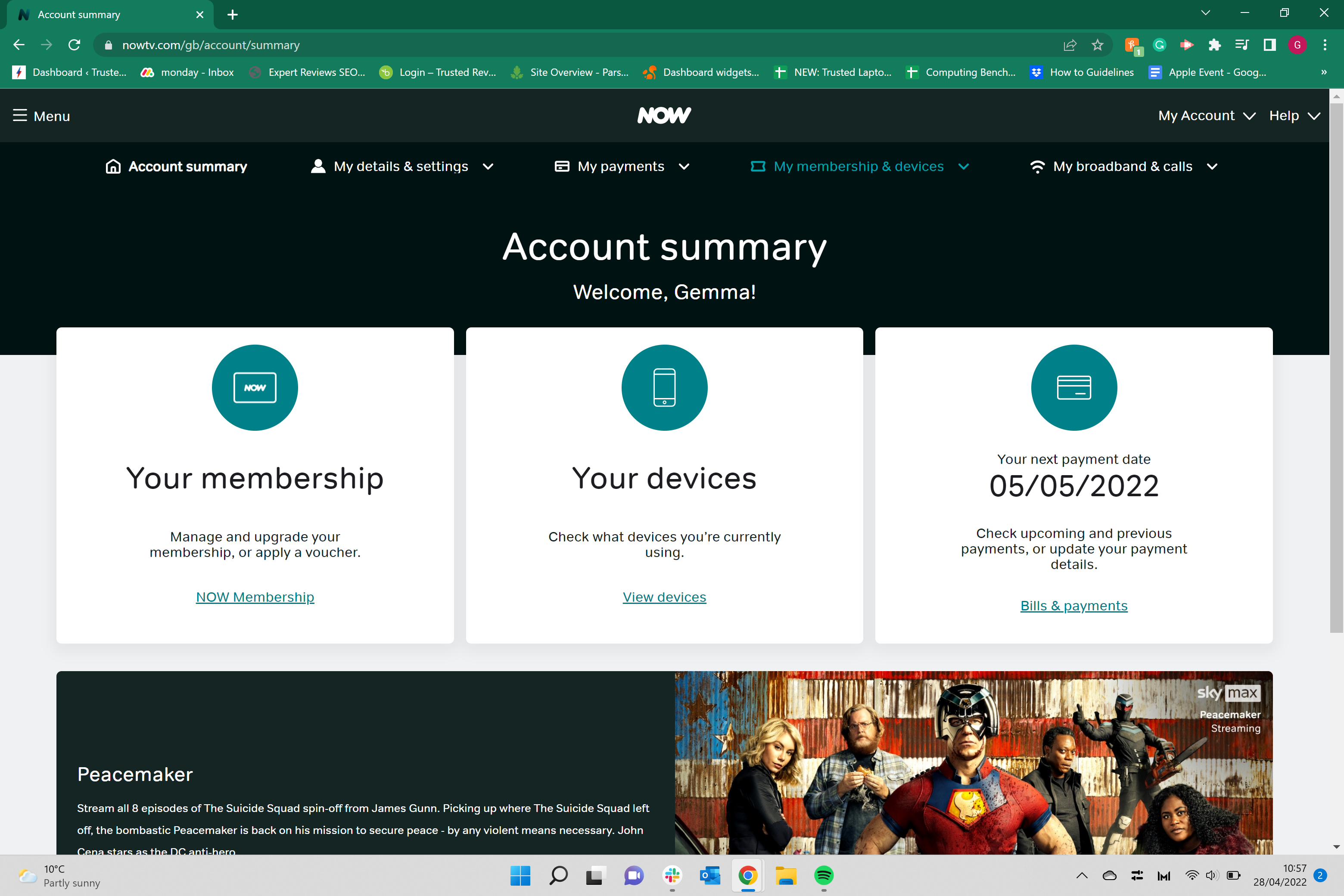
Once you are on the Manage account page, click on NOW membership to view all of your current subscriptions.
-
Step
5Click on Cancel membership
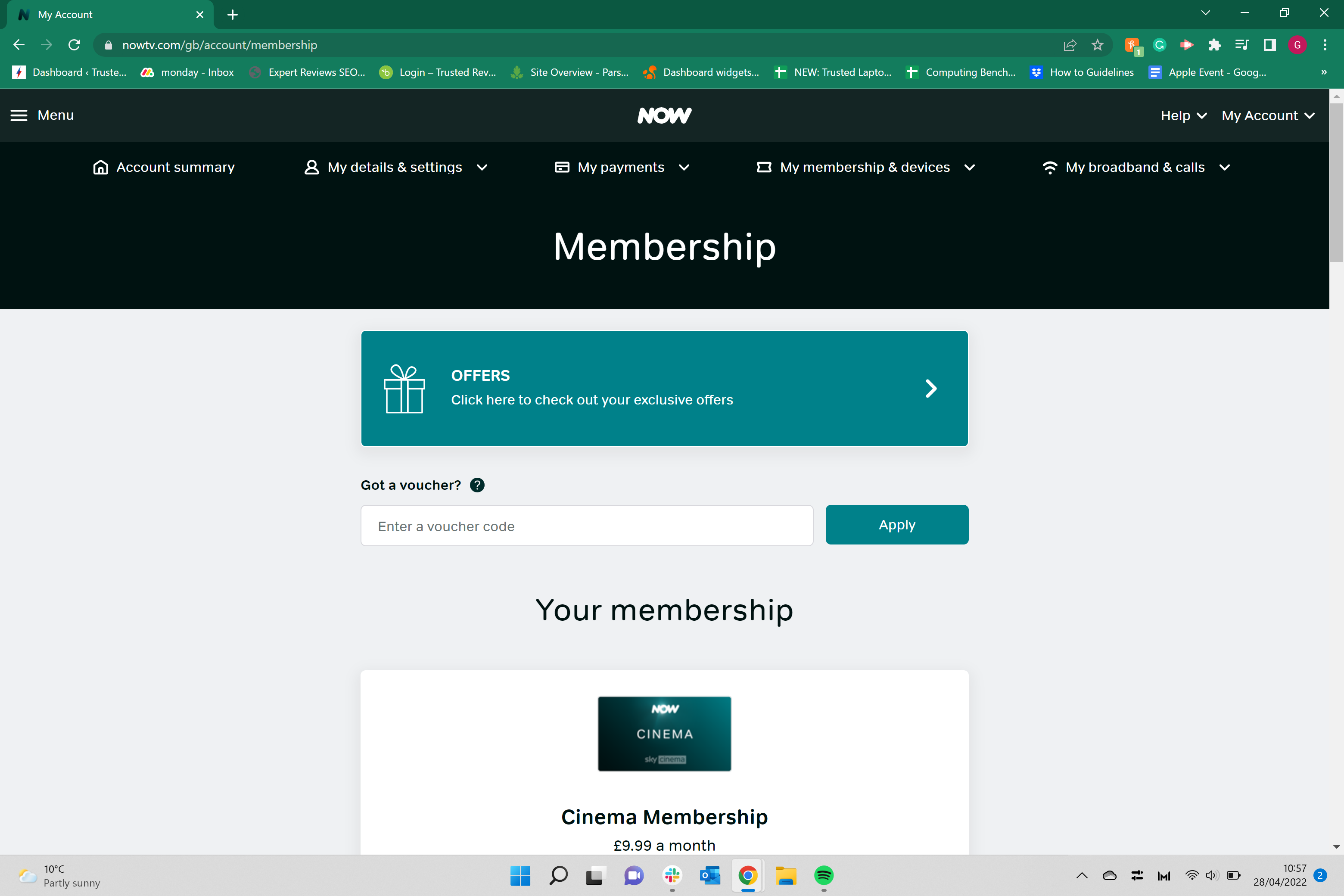
Click on the Cancel membership button. It will be in blue and if you have more than one subscription, such as Entertainment or Cinema, there will be separate buttons to cancel each membership separately.
-
Step
6Scroll to the bottom of the page
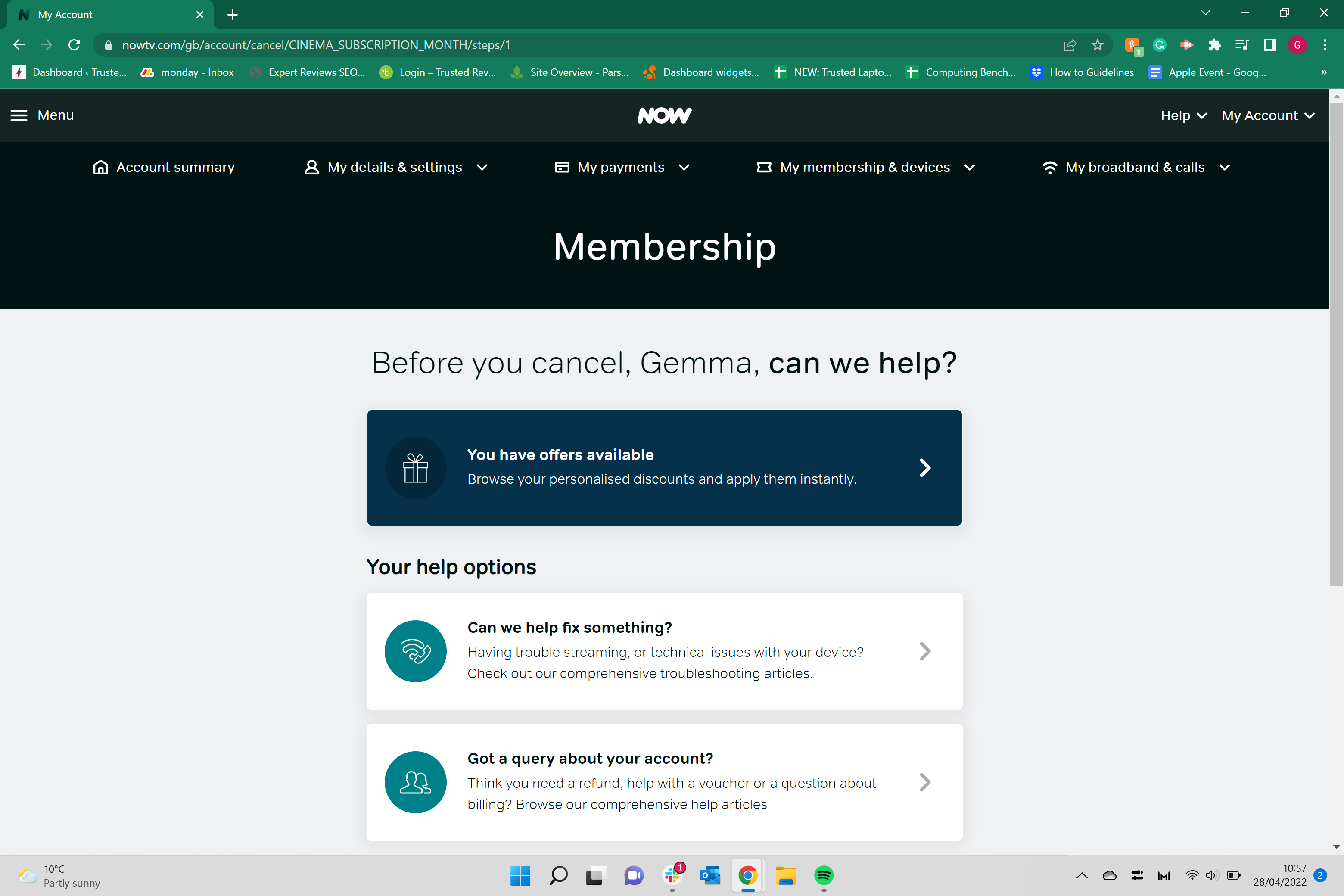
Scroll down to the bottom of the page to continue the process.
-
Step
7Click continue cancelling
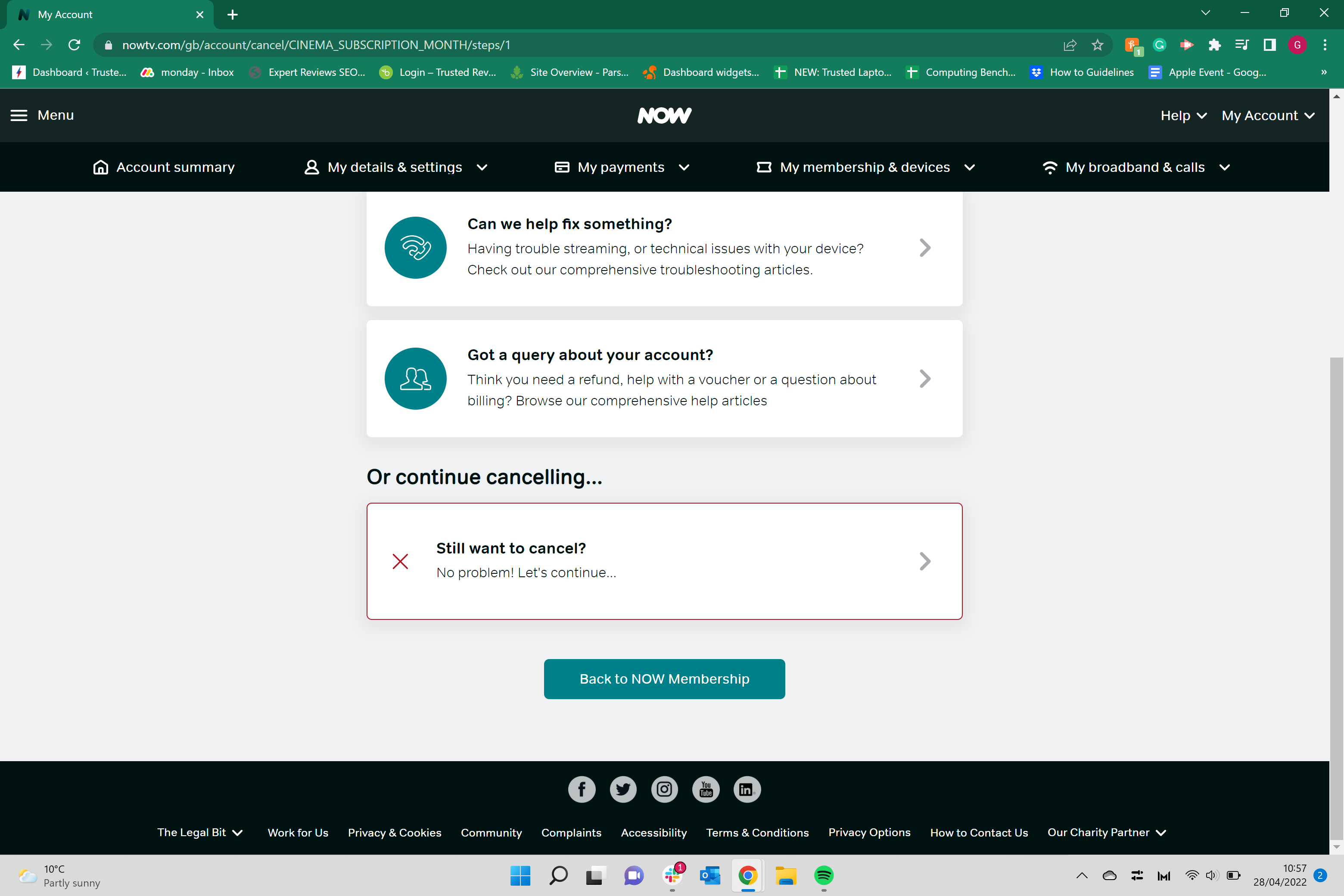
Click on the continue cancelling button to cancel your membership. You may have to repeat steps six and seven more than once, as NOW sometimes will give you multiple chances to keep your membership.
Troubleshooting
Yes, you can restart your NOW membership if you change your mind.
Originally posted 2023-10-26 13:51:46.