Deleting your Instagram is a very easy process that can be achieved in just a few simple steps and is a great way to cut down on your phone time.
There are more social media apps on the market to choose from than ever before, which is why you may be considering cutting down on your options. Instagram is a great place to catch up with friends and stay in the loop on the latest fashion trends, but it can take time to keep up with the neverending updates.
It’s worth noting that you can recover your Instagram up to a month after deleting it, but after that, it will be gone forever. We recommend saving any personal photos or information from the platform before keeping your account, just in case you want to hold onto any memories.
With all that said, here is how to delete your Instagram account in just a few simple steps.
What we used
The Short Version
- Go to the Delete your account page
- Click on the box
- Enter your reason for leaving
- Enter your password
- Click Delete
- Click Okay
-
Step
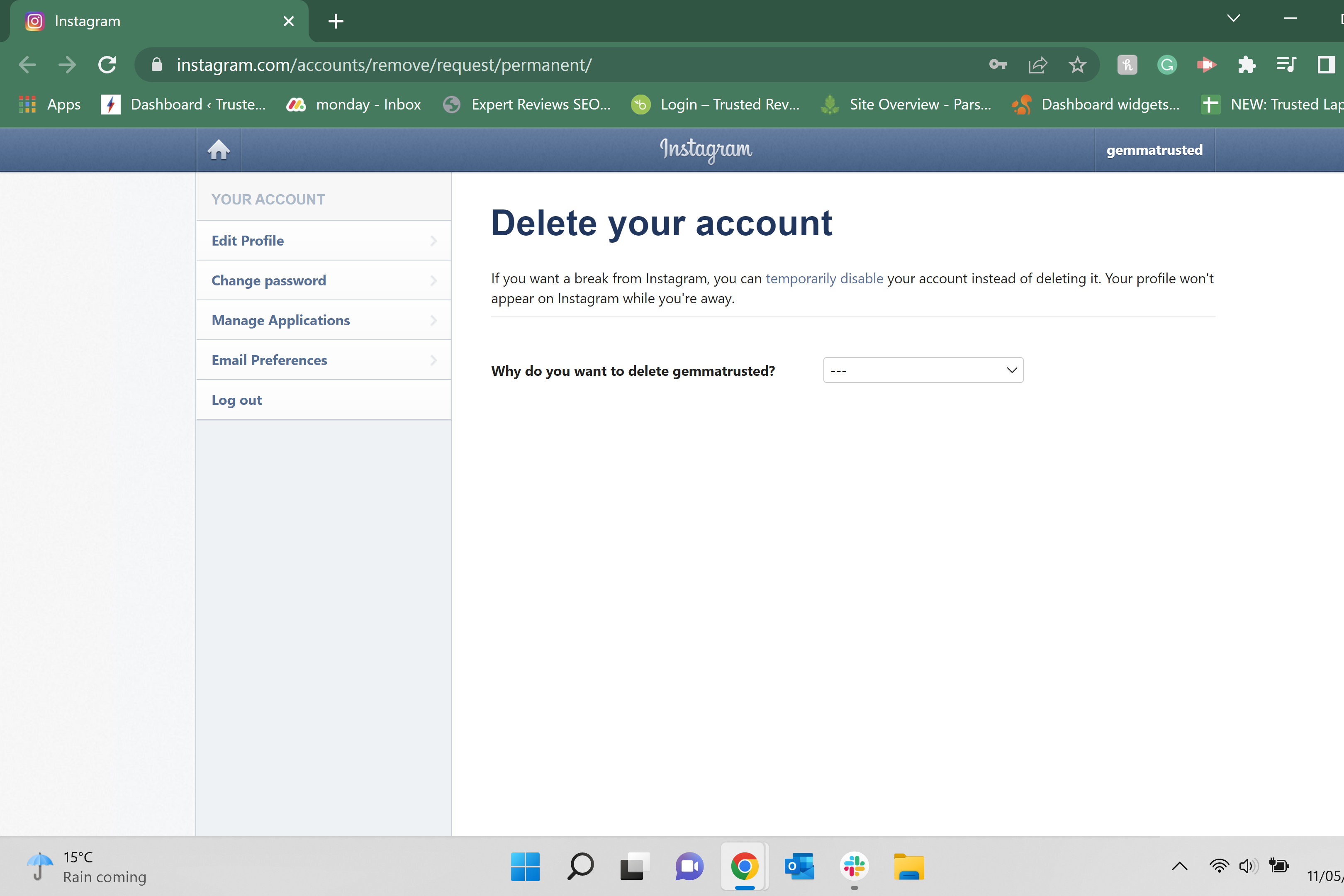
1Go to the Delete your account page
Use this link to access the Delete your account page on Instagram. You cannot delete your account in the Instagram app, you will need to be on either a mobile or laptop browser. You may also need to log in when you click the link.
-
Step
2Click on the box
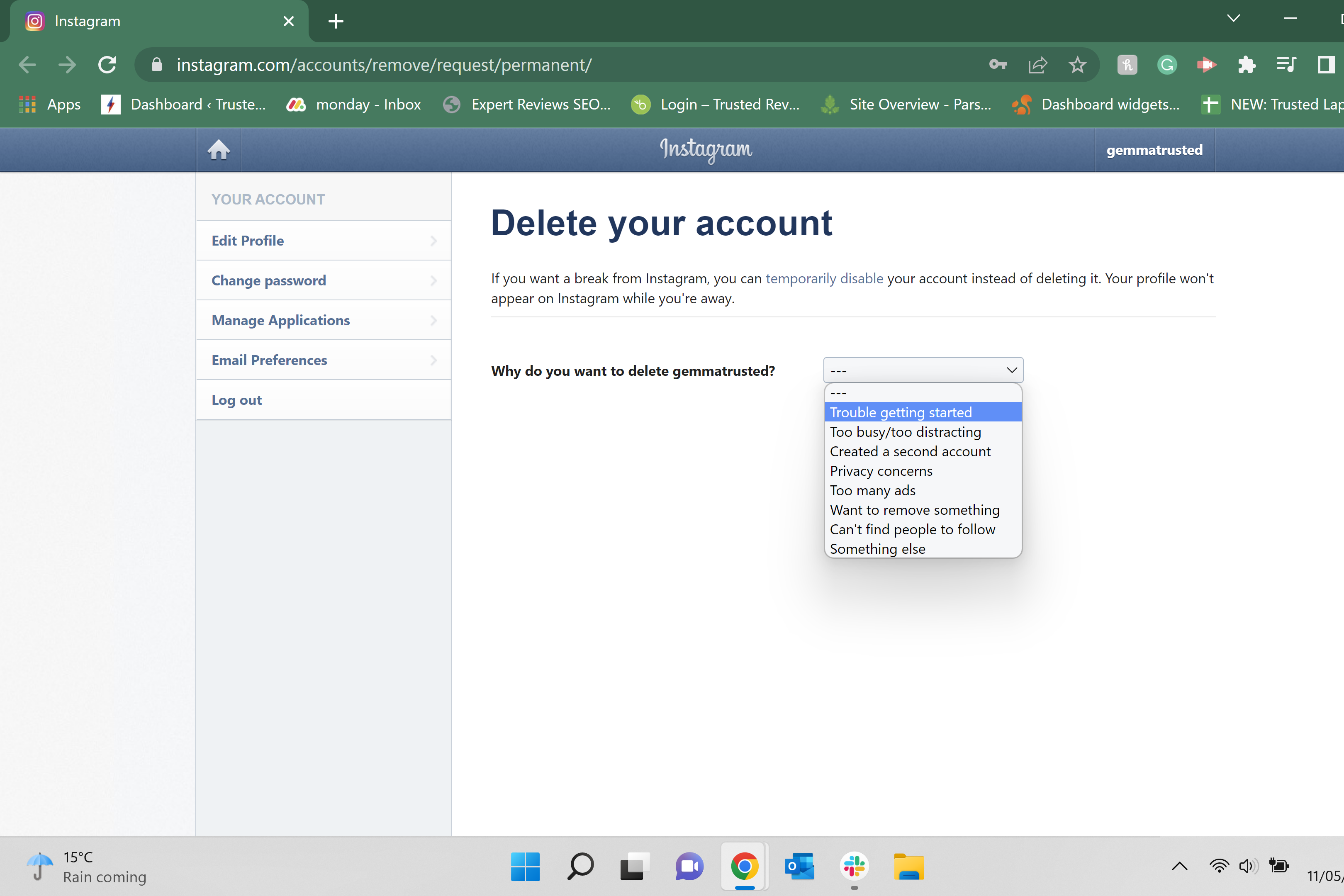
Click on the box that asks the reason you want to delete your Instagram account.
-
Step
3Enter your reason for leaving
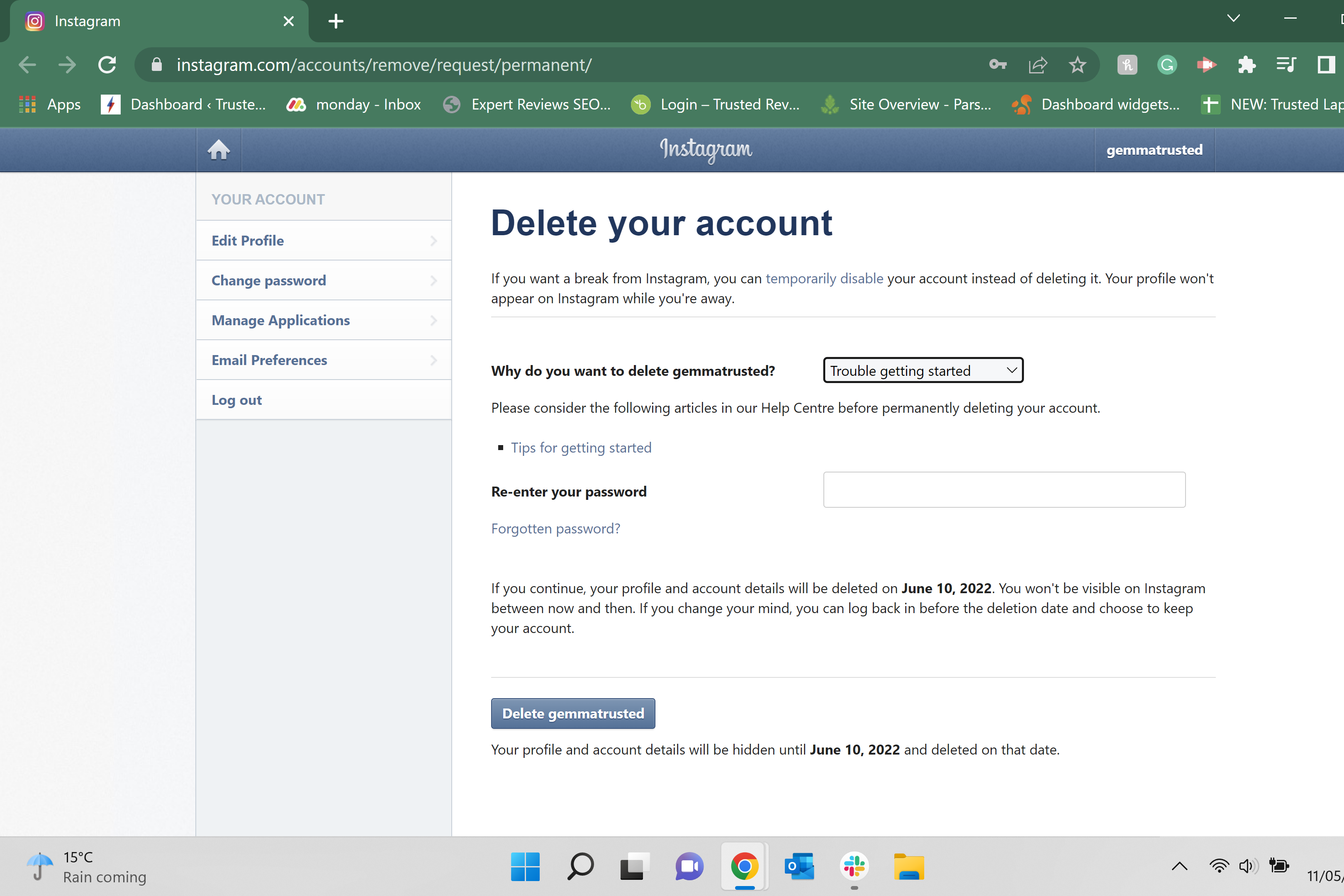
Choose why you have decided to delete your Instagram account from the selection of reasons.
-
Step
4Enter your password
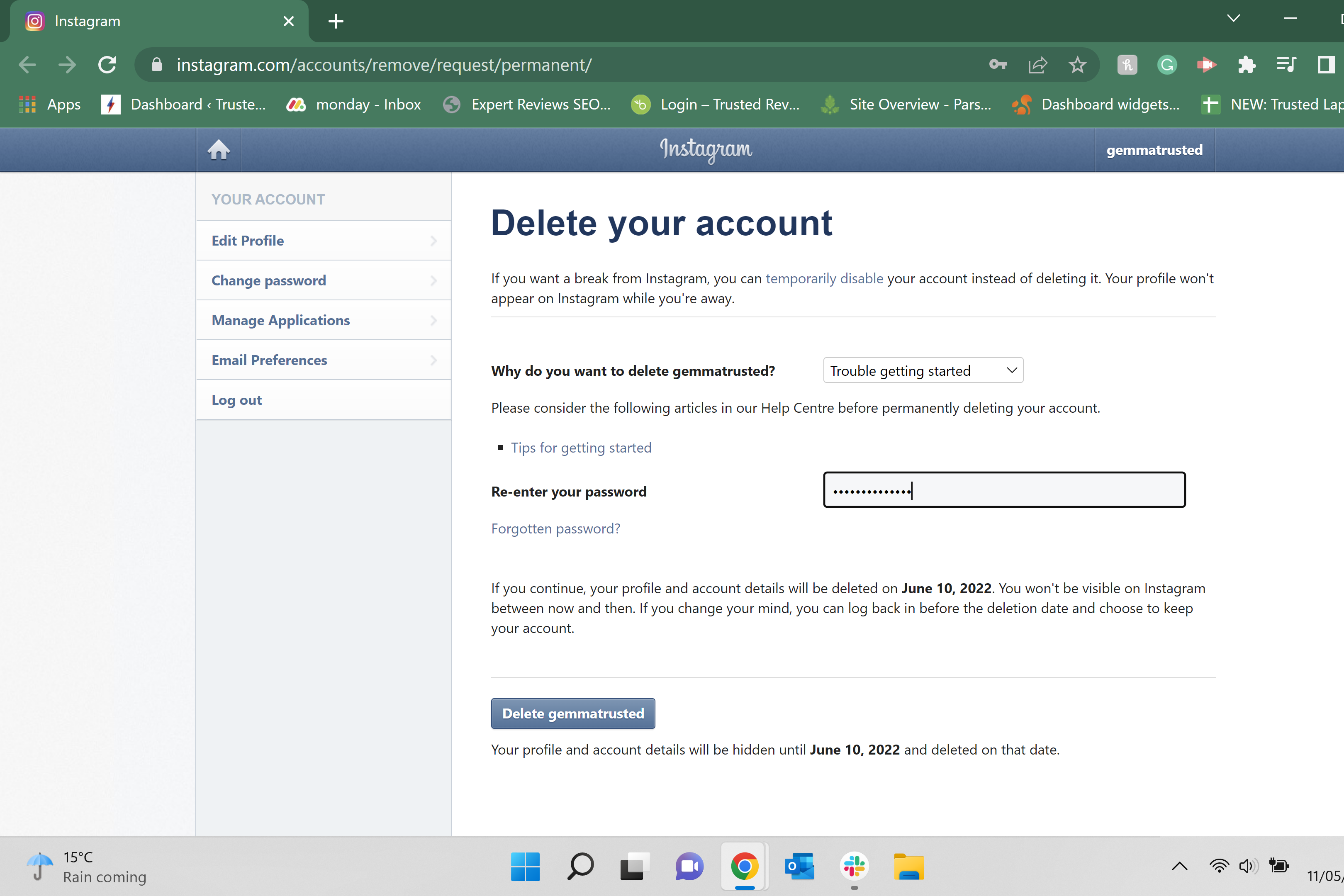
Enter your password for your account in the box below to continue the process.
-
Step
5Click Delete
Click on the blue box that says Delete.
-
Step
6Click Ok
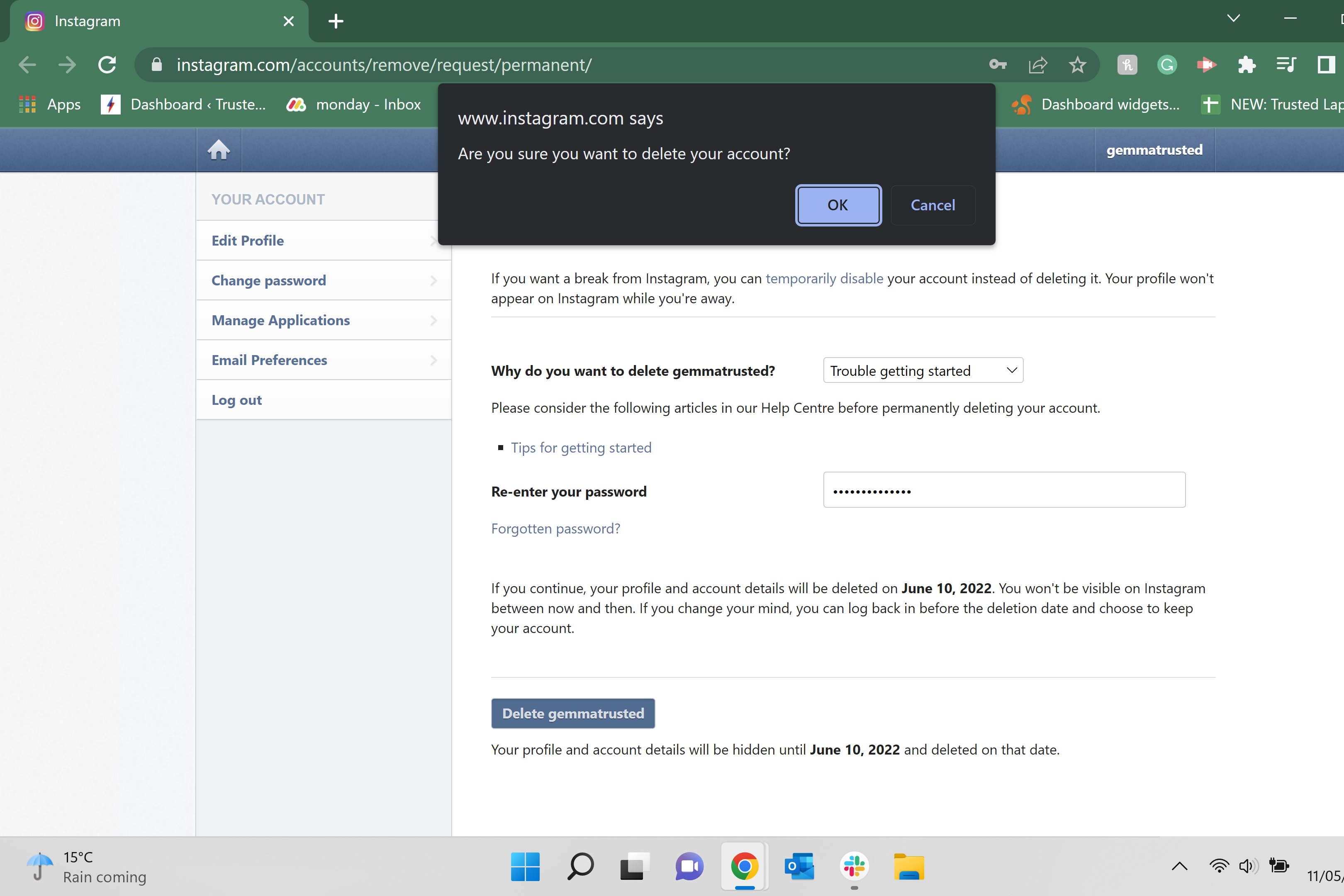
A pop-up will appear asking you to confirm your choice. Click Okay to continue. It’s also important to note that you will be able to recover your account in the month after you delete it, so if you change your mind in a couple of days, log back into your account to stop it from being deleted.
FAQs
Yes, you can log back into your account up to a month after deleting your account to reactivate it. However, suppose you do not log in within the first month; in that case, your account will be permanently deleted, so we recommend saving any personal pictures or information that you want to keep before the account is lost.
No, you can only delete your account by following the link above, which takes you to the Delete your account page. You will need to be in a browser to delete your account, meaning that you can remove your account while on your phone, just not in the app.
Originally posted 2023-10-02 10:04:24.